

Help Center
How can we help you?


General Help Topics
Your tracking number is usually generated within 3 days after placing your order. ⏳
✨ If your store is integrated with PrintKK:
✅ The tracking number will automatically sync to your store.
✅ Your order status will update to "Shipped" 🚚.
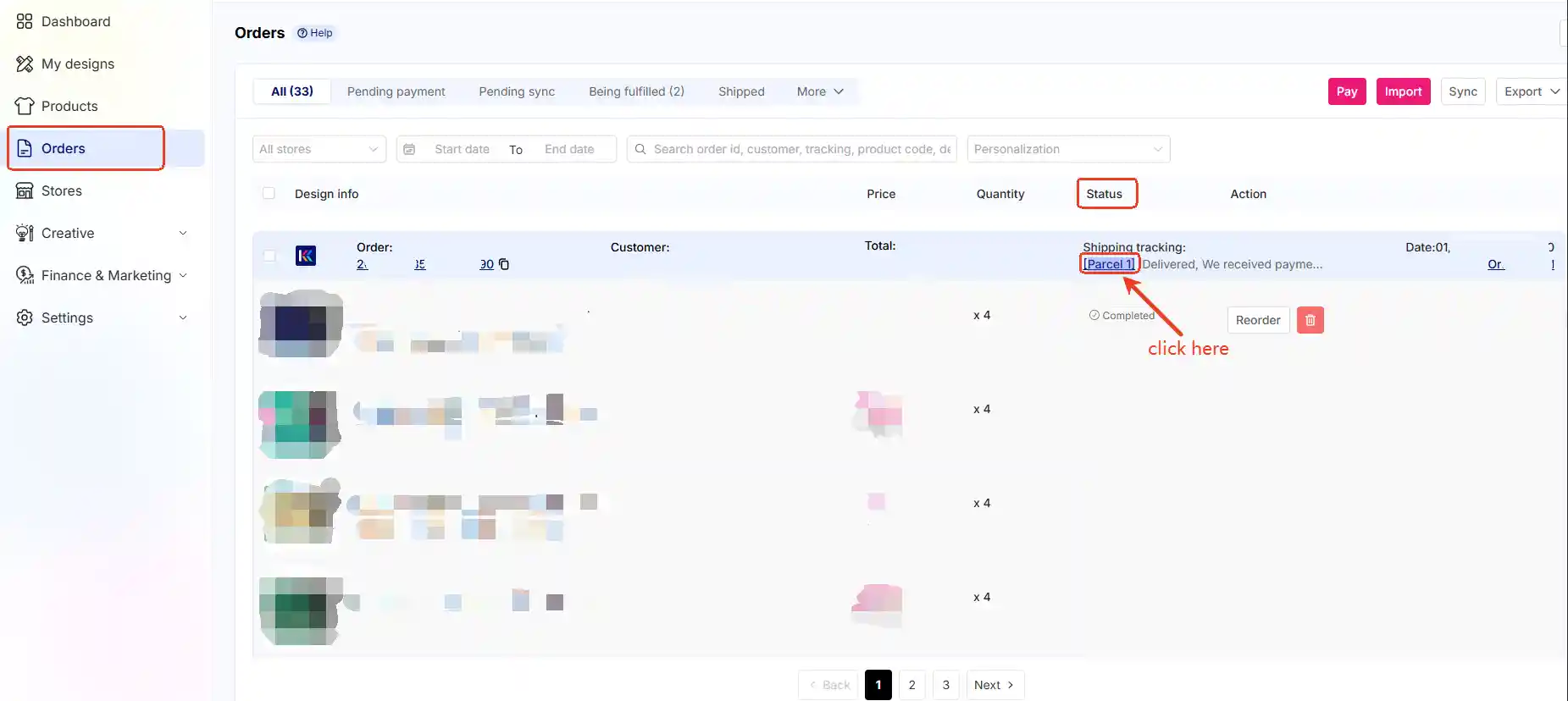
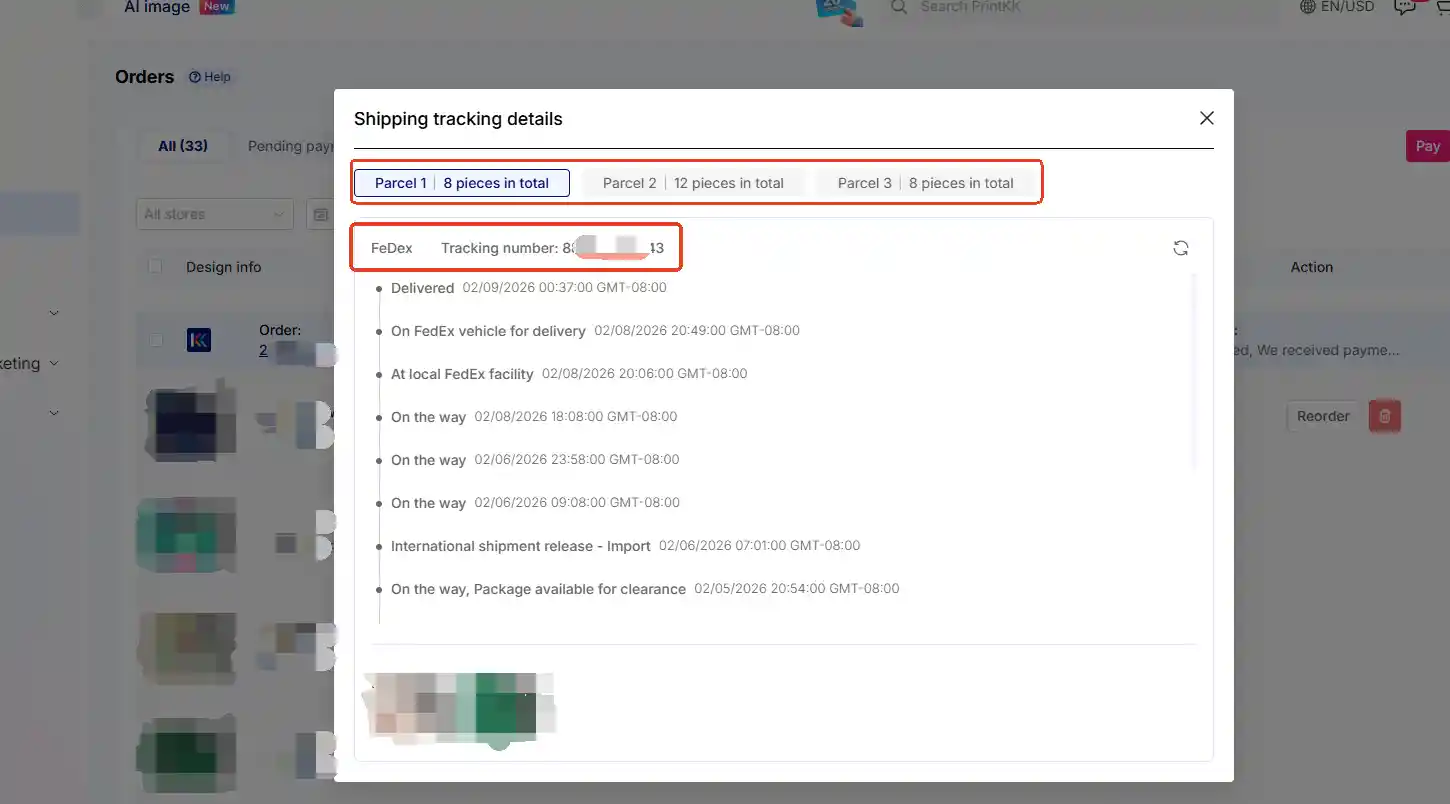
You can found tracking number follow this:
Go to "Dashboard" page->Select "Orders" in the left navigation bar->found the order you want to know tracking number-> see "Stauts" part and found "Shipping tracking", click "Parcel 1", then it will show the orders are dispatched in how many packages, and the tracking numbers for each package.
📧 Need Help?
- Email: support@printkk.com
- Chat Live: Click 'Contact us' in the lower right.













