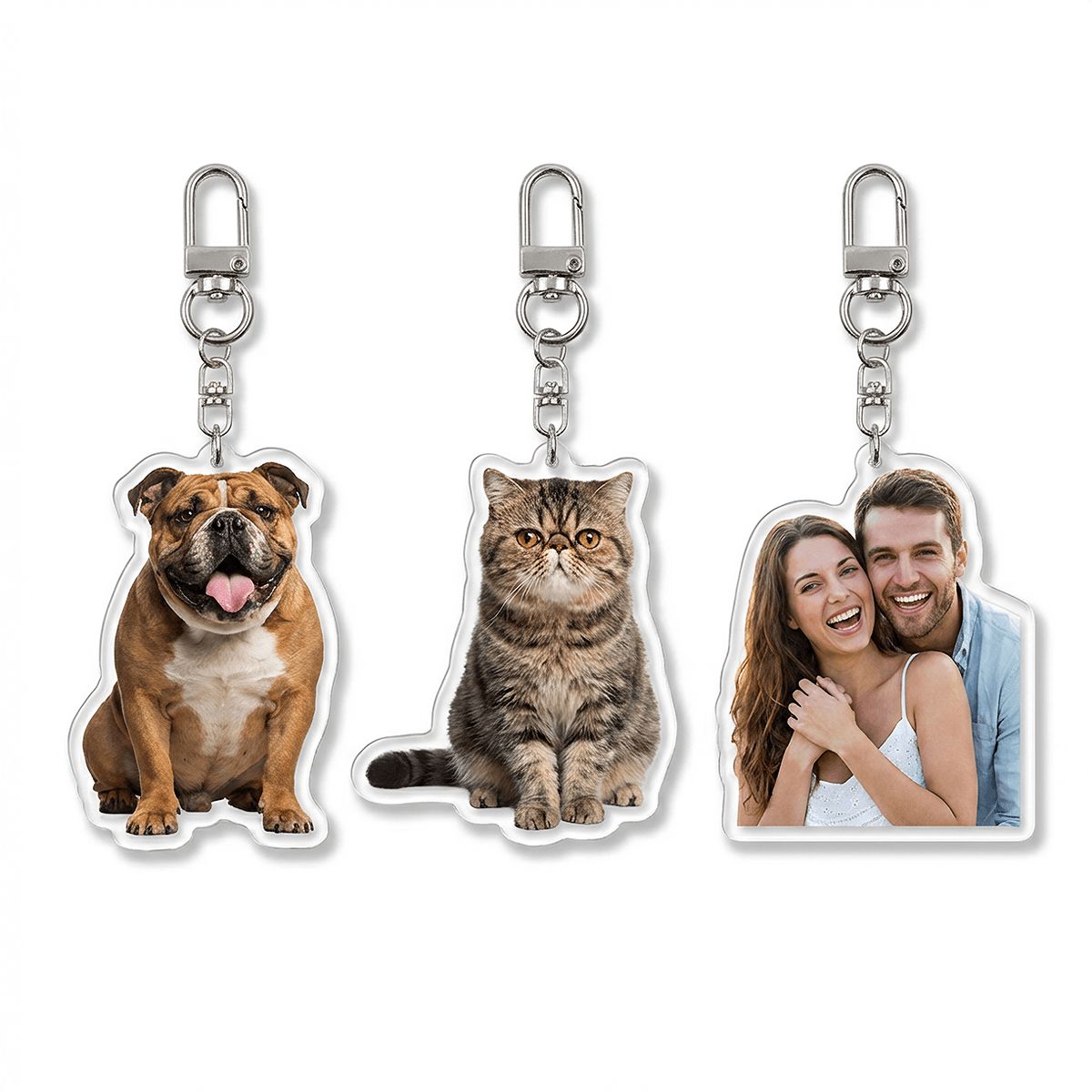





Custom acrylic keychain mockups offer a simple way to present personalized designs with clarity and detail. By visualizing different shapes, photos, and cutting styles, it becomes easier to show how each keychain will look as a finished product.
This guide focuses on shaped acrylic keychain mockups, showing how different styles can be displayed in a clean and appealing way. It also includes practical prompt ideas to help control key details and create consistent visuals.
Why Use AI for Custom Acrylic Keychain Mockups
Using AI for custom acrylic keychain mockups makes it easier to visualize designs with clean edges and precise shapes.
Instead of relying on samples, different outlines, prints, and layouts can be previewed quickly, helping show how the final keychain will look. This allows ideas to be presented more clearly during the early design stage.
It also helps refine small details that matter for acrylic products, such as transparency effects, edge clarity, and print placement.
Subtle adjustments can be made step by step, making each version more accurate.
With quick iterations and multiple variations, designs can be tested and improved efficiently, making the final presentation more polished and ready for production.

Custom Custom Shaped Acrylic Keychain - Print-On-Demand - PrintKK
Prompts for Custom Acrylic Keychain Mockups
1. Product Main Image (White Background)
A clean white background product image showing three custom-shaped transparent acrylic keychains placed side by side.
- Left: a corgi pet photo
- Center: a British Shorthair cat photo
- Right: a couple photo
Each keychain is cut along the outline of the subject (person or pet), using custom contour cutting. The material is clear acrylic with high-definition color printing, making the images vivid and realistic. Each piece includes a keyring at the top (matching the reference). The lighting is soft and even, with visible shadows for depth.

Reference Images & Generated Results
2. Customization Process Diagram
A simple white background infographic showing the customization process.
- Left: a smartphone displaying a photo of a couple (man in a light gray suit, woman in a white lace dress)
- Right: a custom acrylic keychain made from that photo
The keychain follows the outline of the couple's silhouette, with clear acrylic material and high-quality printing. A red arrow points from the photo to the final keychain.
Text below reads: "Custom Acrylic Shape with Outline". The layout is clean and easy to understand.

Reference Images & Generated Results
3. Product Usage Display (Hanging Scene)
A realistic product image showing a custom acrylic keychain featuring a small fluffy Havana puppy. The keychain is contour-cut to match the sitting pose of the dog. The printed image shows light brown and white fur, dark eyes, and a pink tongue, creating a lively expression.
The keychain includes a silver metal ring and lobster clasp. It is attached to the waistband of light blue denim jeans, with visible fabric texture and yellow/orange stitching. The composition is slightly lower-centered, with bright and even lighting.

Reference Images & Generated Results
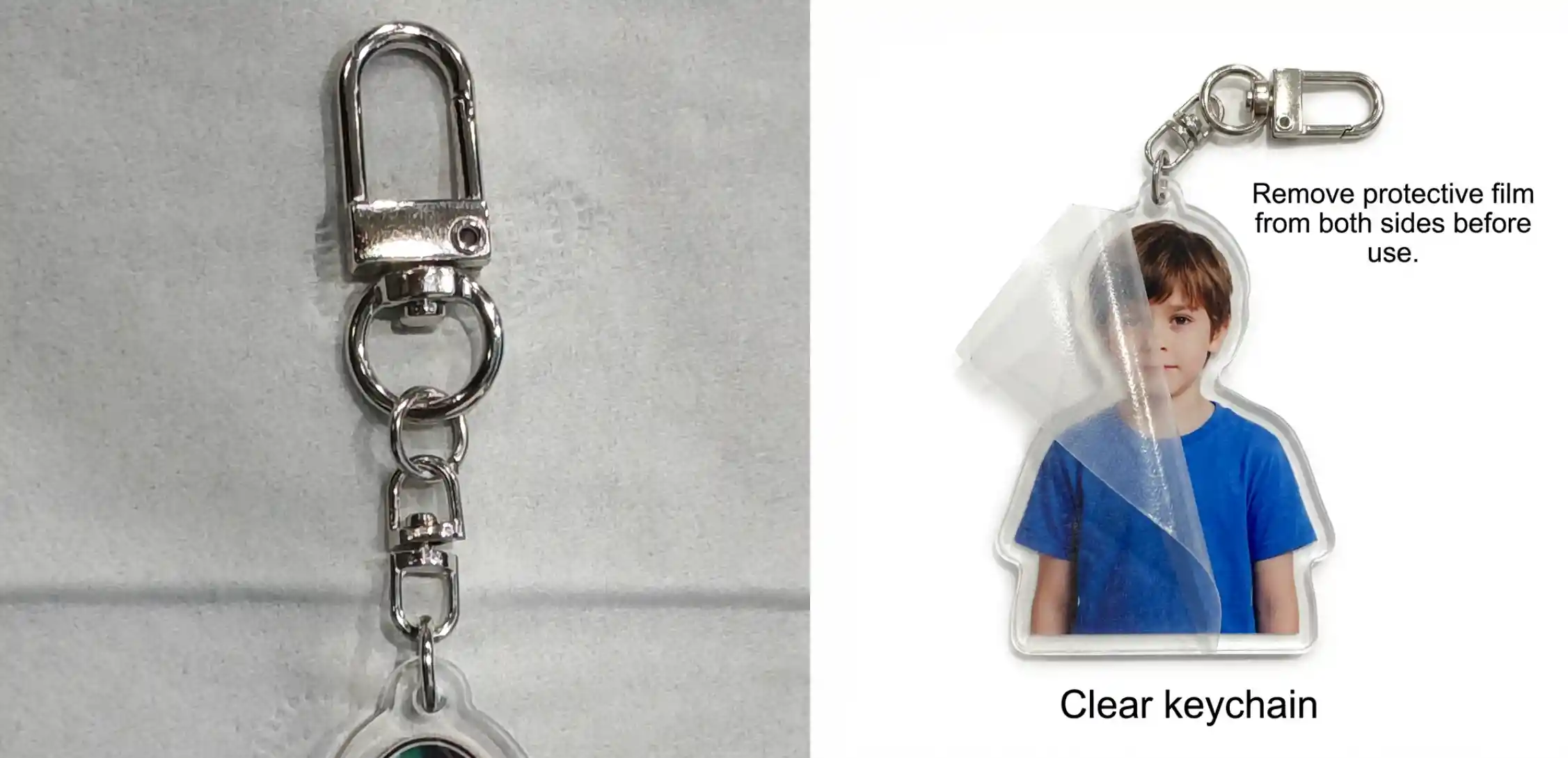
4. Protective Film Instruction Image
A white background product image showing a custom acrylic keychain with a human-shaped outline. Inside is a portrait of a young boy wearing a blue shirt.
Part of the protective film is peeled off, revealing the clear acrylic surface.
Text on the top right reads:
"Remove protective film from both sides before use."
Additional text includes "Clear keychain". The keychain includes a top ring (matching the reference). The layout is clean and minimal.
Reference Images & Generated Results
5. Size Guide Display
A white background size comparison image showing four custom-shaped transparent acrylic keychains arranged from smallest to largest:
- 1.6in (4cm)
- 2in (5cm)
- 2.4in (6cm)
- 2.8in (7cm)
Each keychain features the same smiling boy portrait wearing a purple shirt, with contour-cut edges and a top keyring.
Top right text:
"Custom Orders: Contact us for design proof. Production begins after your confirmation."
Top left includes a shape preview (without keyring) labeled "size", with text below:
"Shape Preview for Your Confirmation".

Reference Images & Generated Results
6. Real Product Showcase
A realistic product display image showing four different custom acrylic keychains:
- A couple photo
- A brown-yellow cat photo
- A husky dog photo
- A young girl portrait
All keychains are contour-cut and made of transparent acrylic, each with a top keyring.
At the top, stylized text reads:
"Custom Photo Keychain with Personalized Image" (purple text with light blue outline).
In the bottom-right corner, two small original photo previews (husky and girl) are shown as references for customization.

Reference Images & Generated Results
7. Product Main Image (Alternative Set)
A white background product image showing three custom-shaped transparent acrylic keychains placed side by side.
- Left: a Chihuahua dog photo
- Center: a cow-pattern cat photo
- Right: a couple photo
All keychains use contour cutting based on the subject outline, with clear acrylic material and high-definition printing. Each includes a top keyring (matching the reference). The lighting is soft and even, with minimal shadows for a clean presentation.

Reference Images & Generated Results
Conclusion
Custom acrylic keychain mockups help turn personal photos and ideas into clear, ready-to-present visuals. By previewing shapes and designs in advance, it becomes easier to confirm details and reduce uncertainty before production.
With flexible adjustments and simple prompt control, the process becomes more straightforward, making it easier to create polished and consistent product images.

 Global Shipping