



Current Feature: Image-to-Image Generation
Transform your existing designs into print-ready artwork with AI enhancement.
How It Works
1️⃣ Log in to your Printkk “Dashboard”
2️⃣ Navigate to: Creative, found “AI Image”
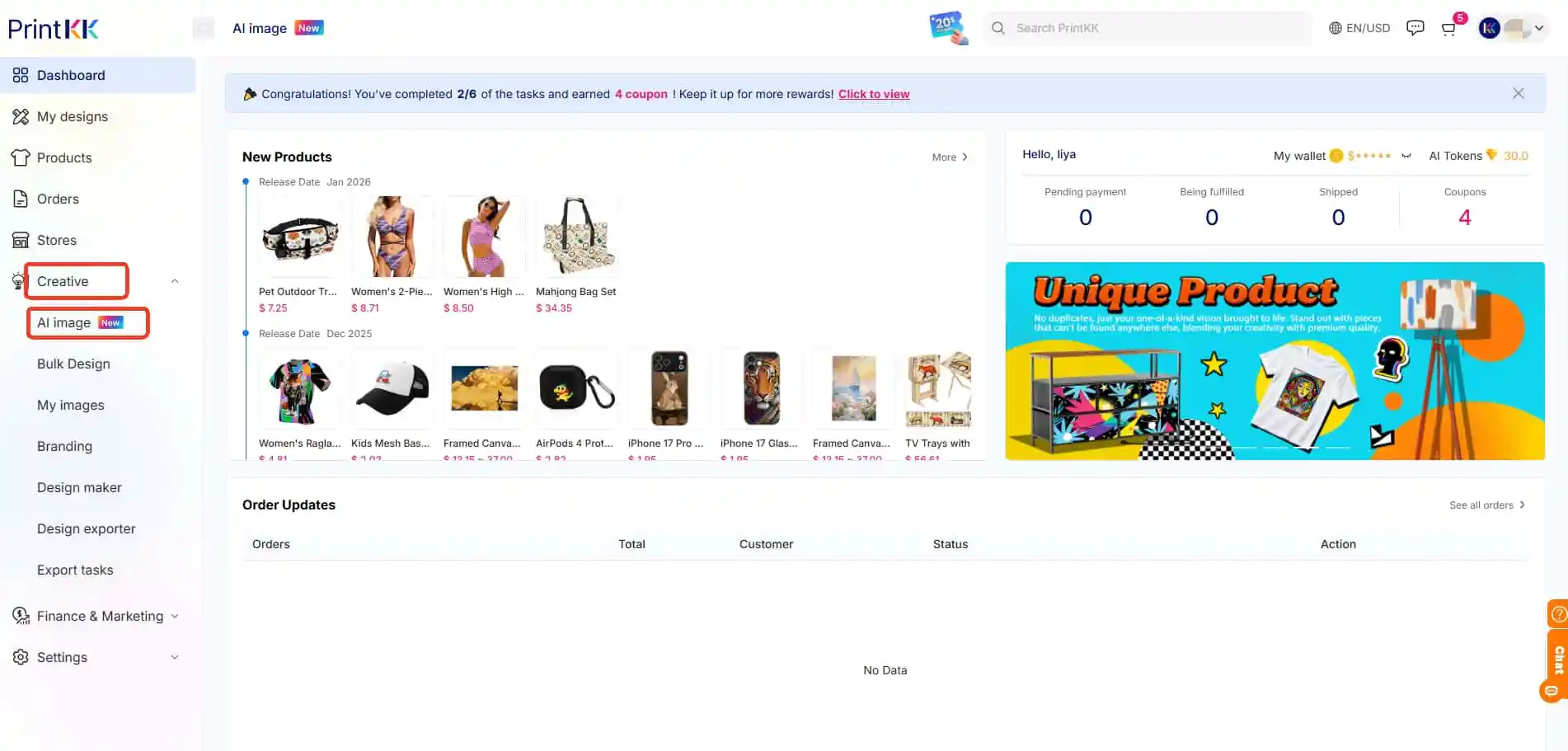
3️⃣ Select your preferred AI engine:
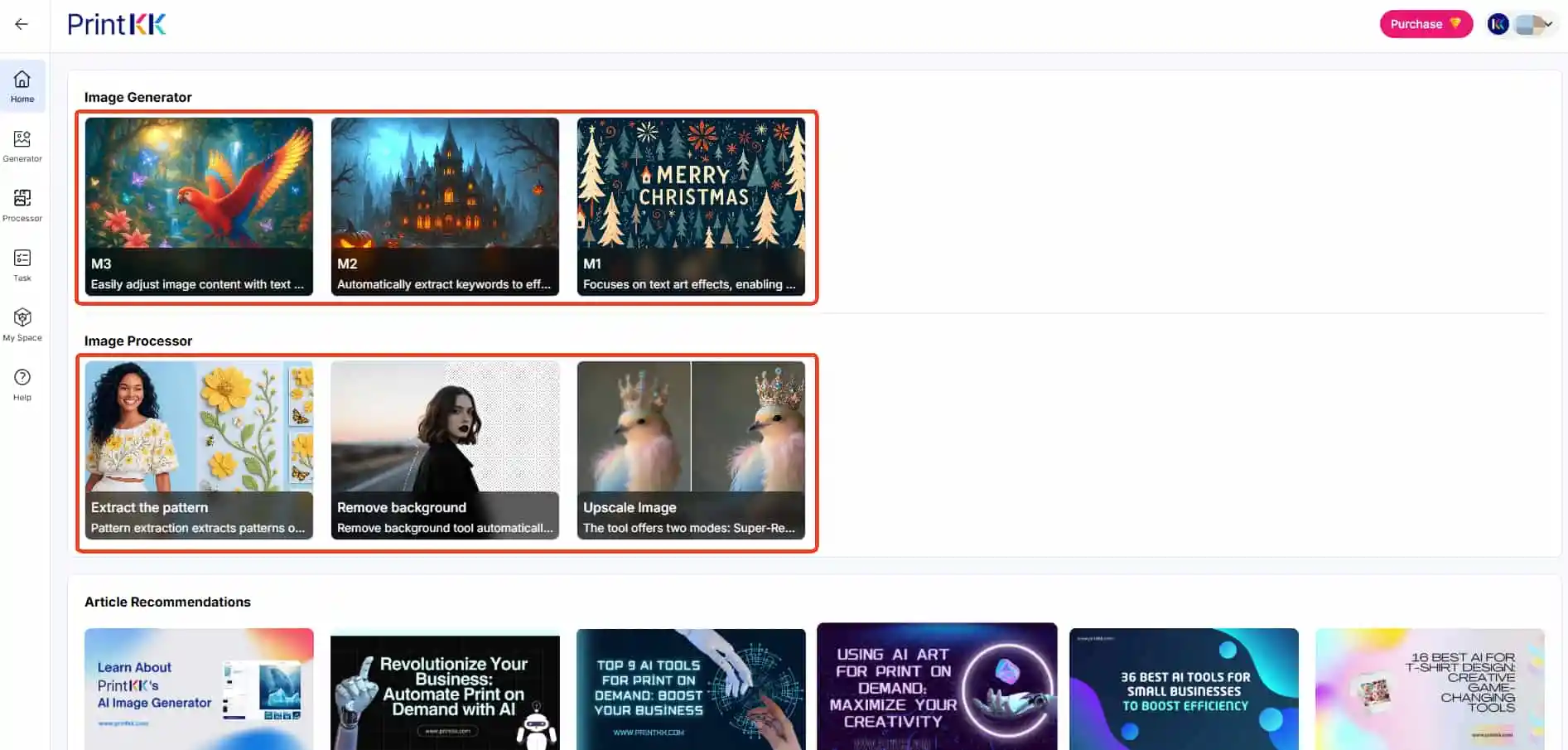
🔸 M1 - Image Variation Specialist
Key Features:
🔹Generates multiple style variants from a single image
🔹Preserves core composition of source material Ideal
Use Cases:
🔹Social media A/B testing
🔹Rapid design concept exploration
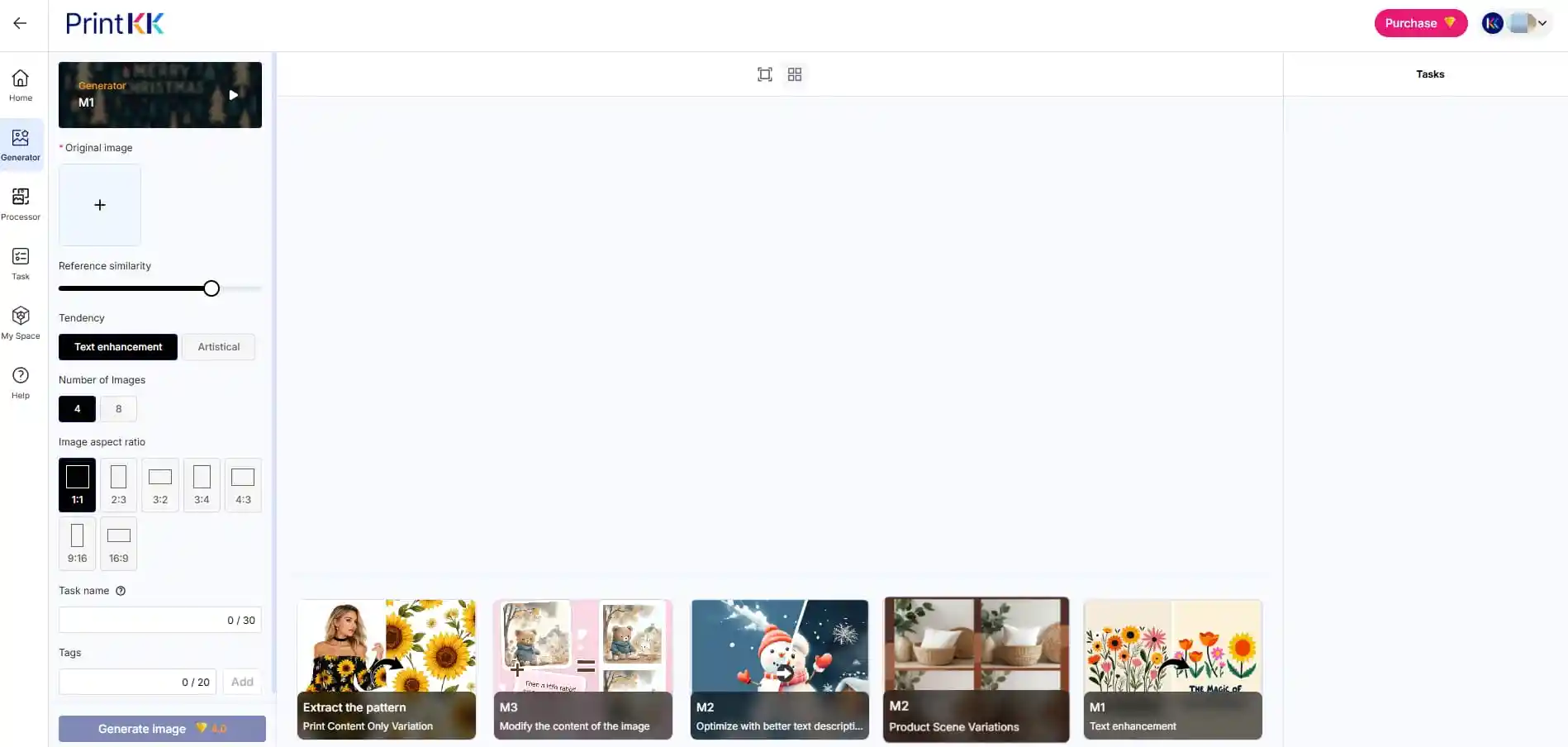
🔸 M2 - Semantic Image Editor
An image generation model that is more oriented towards artistic creation.
Highly sensitive to "style", "atmosphere", "emotion" and visual impact, the generated results are often more aesthetically pleasing and dynamic.
Even with relatively simple input, it can generate stylized and aesthetically pleasing works.
However, in terms of precisely following complex instructions and maintaining consistency in details, it is relatively less stable than M3.
Particularly suitable for:
🔹Conceptual art
🔹Cover, poster
🔹Illustration and visual inspiration exploration
Overall features: Strong artistic sense, distinct style, and outstanding visual expressiveness.
To get the best results from AI image generation, Must provide as much detailed and specific textual description as possible.
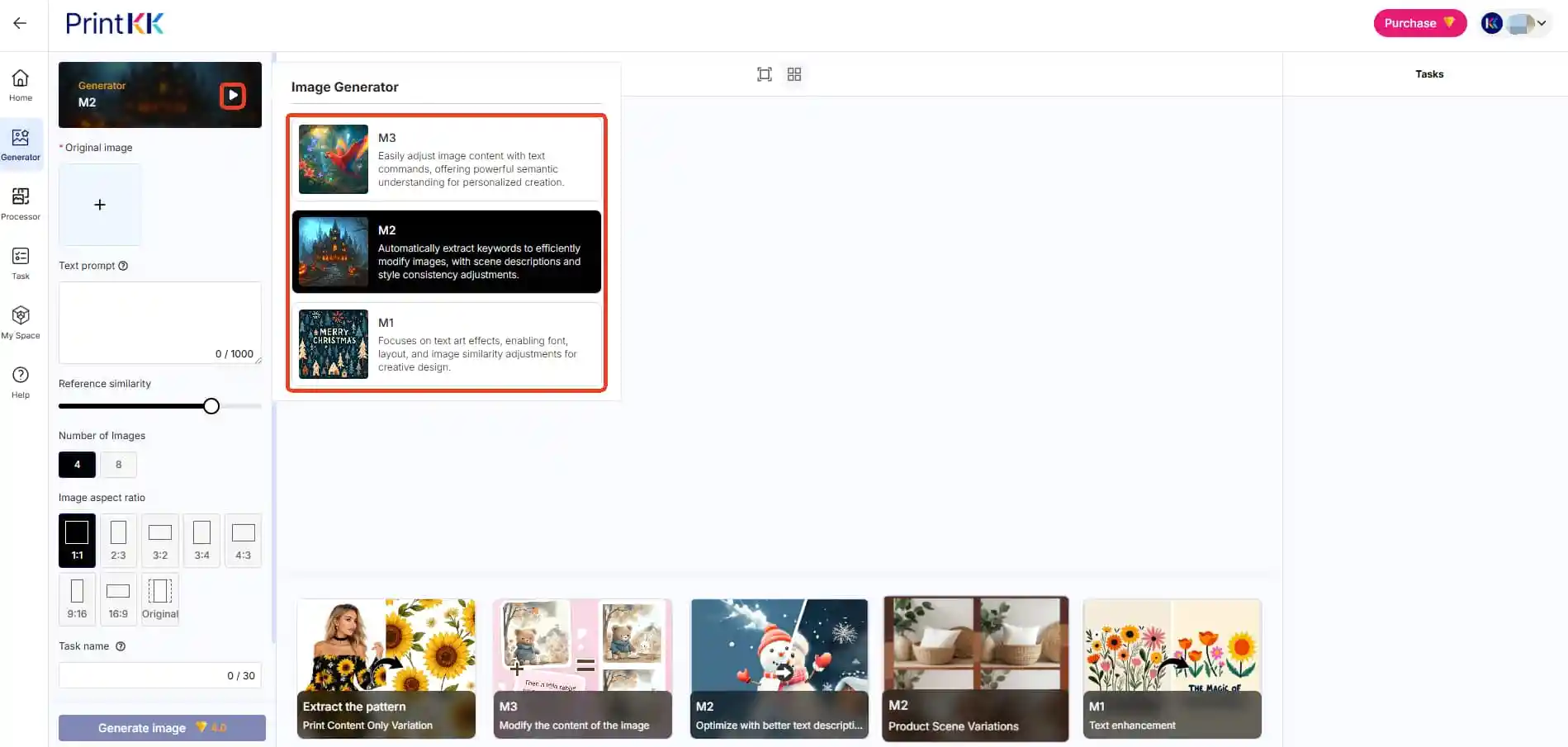
🔸 M3 - More stable Semantic Image Editor
It mainly generates images through text, relying on a powerful semantic understanding capability, which can accurately parse complex descriptions and generate images that highly match instructions.
The overall image is more realistic, neutral and controllable, with a greater emphasis on whether the content is "on topic".
Have a strong understanding of complex logic, multi-condition combinations, and detailed constraints (such as composition, object relationships, and specified elements).
Particularly suitable for:
🔹Commercial Illustration
🔹Product images, concept images
🔹The described scene needs to be highly restored
It also has good stability in abstract concepts, world view Settings, and narrative visuals.
Overall characteristics: Strong comprehension ability, accurate execution, and high controllability
To get the best results from AI image generation, Must provide as much detailed and specific textual description as possible.
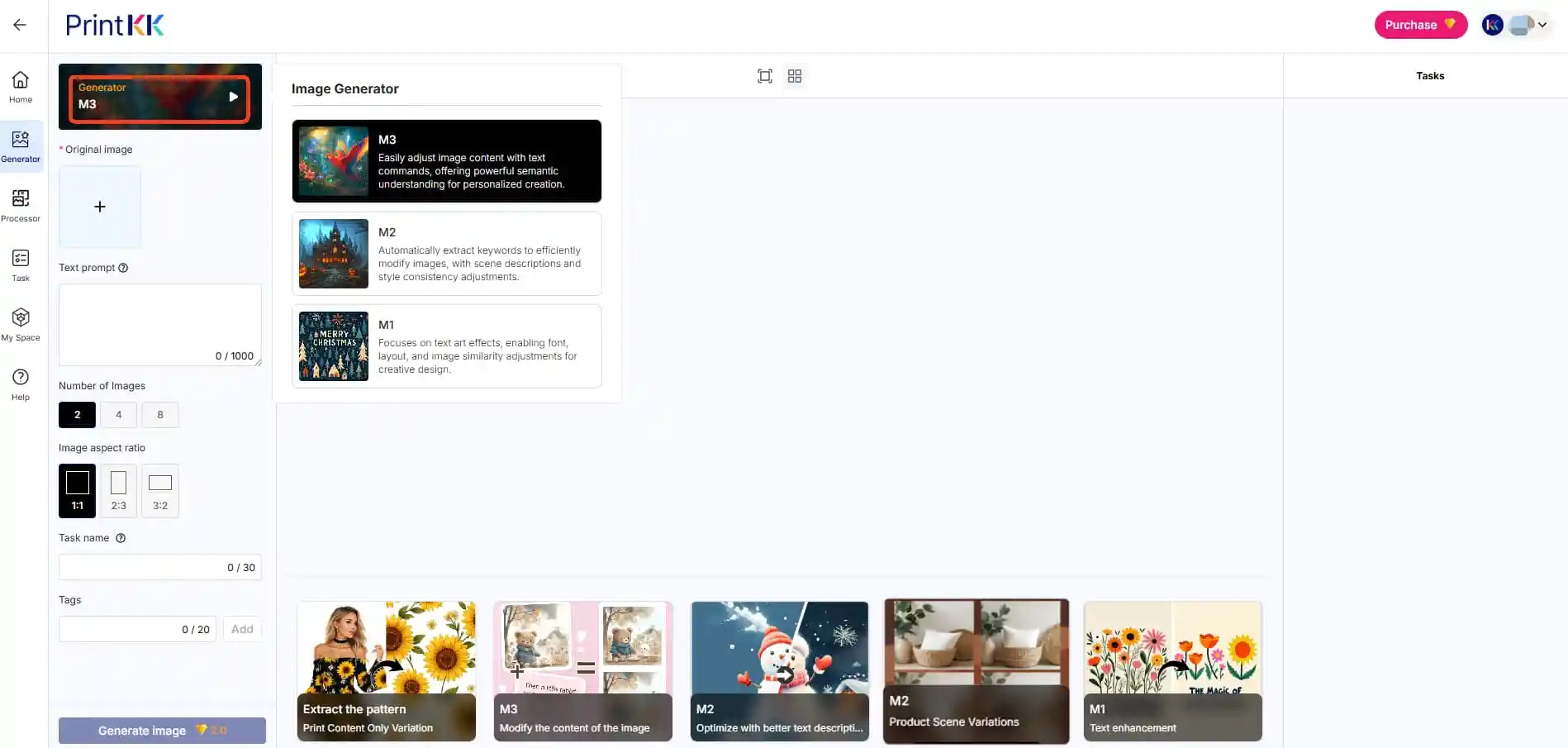
Tips: How to choose a more suitable one?
🔹Want "You draw whatever I say" → Choose M3
🔹If you want something "good-looking, appealing, and like a work of art"→ choose M2
🔹Commercial implementation/reproducible results →M3 is more stable
🔹Inspiration exploration/Visual Impact →M2 is stronger
4️⃣ Upload Your Image
Supported formats: JPG, PNG, JPEG (max 10MB)
5️⃣ The generated images can be saved to your PrintKK gallery or downloaded.
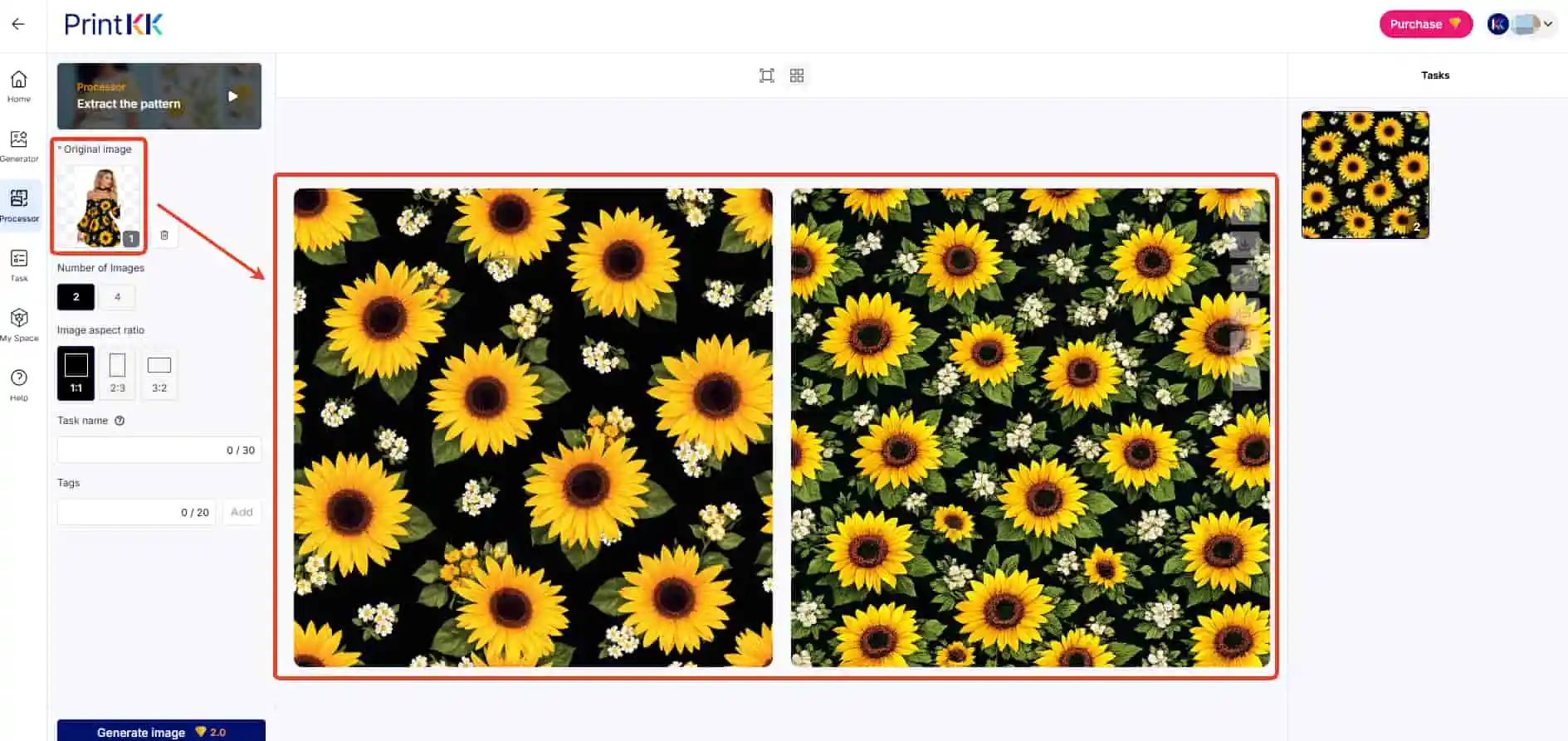
Extract the pattern
Key Features:
Isolates design elements from complex backgrounds (0.1mm precision)
Use Cases:
🔹Textile pattern recycling
🔹Brand asset standardization
🔹Copyright infringement analysis
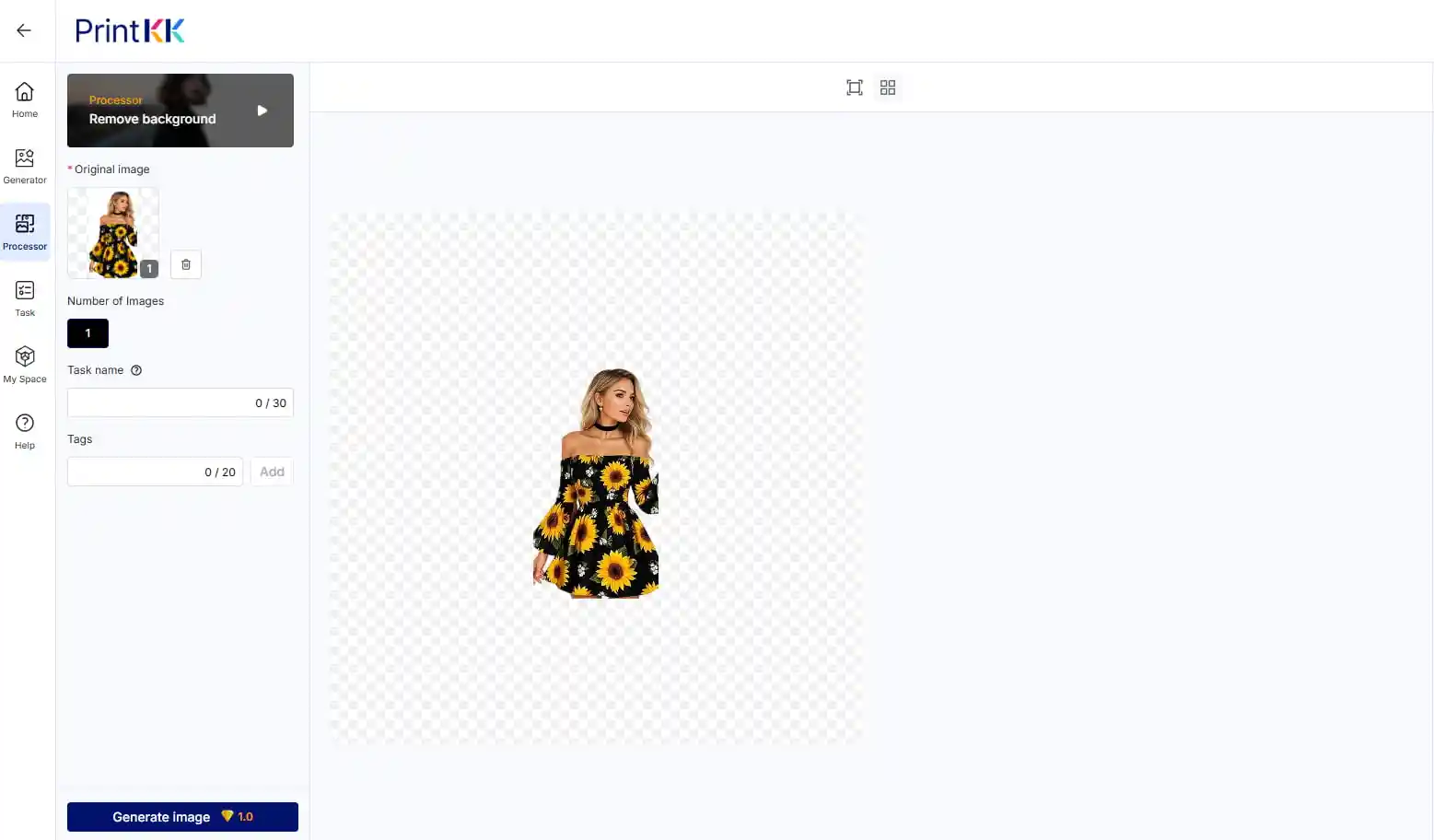
Remove background
Remove background tool automatically removes the background from images, leaving only the subject, perfect for clean, professional designs and edits.
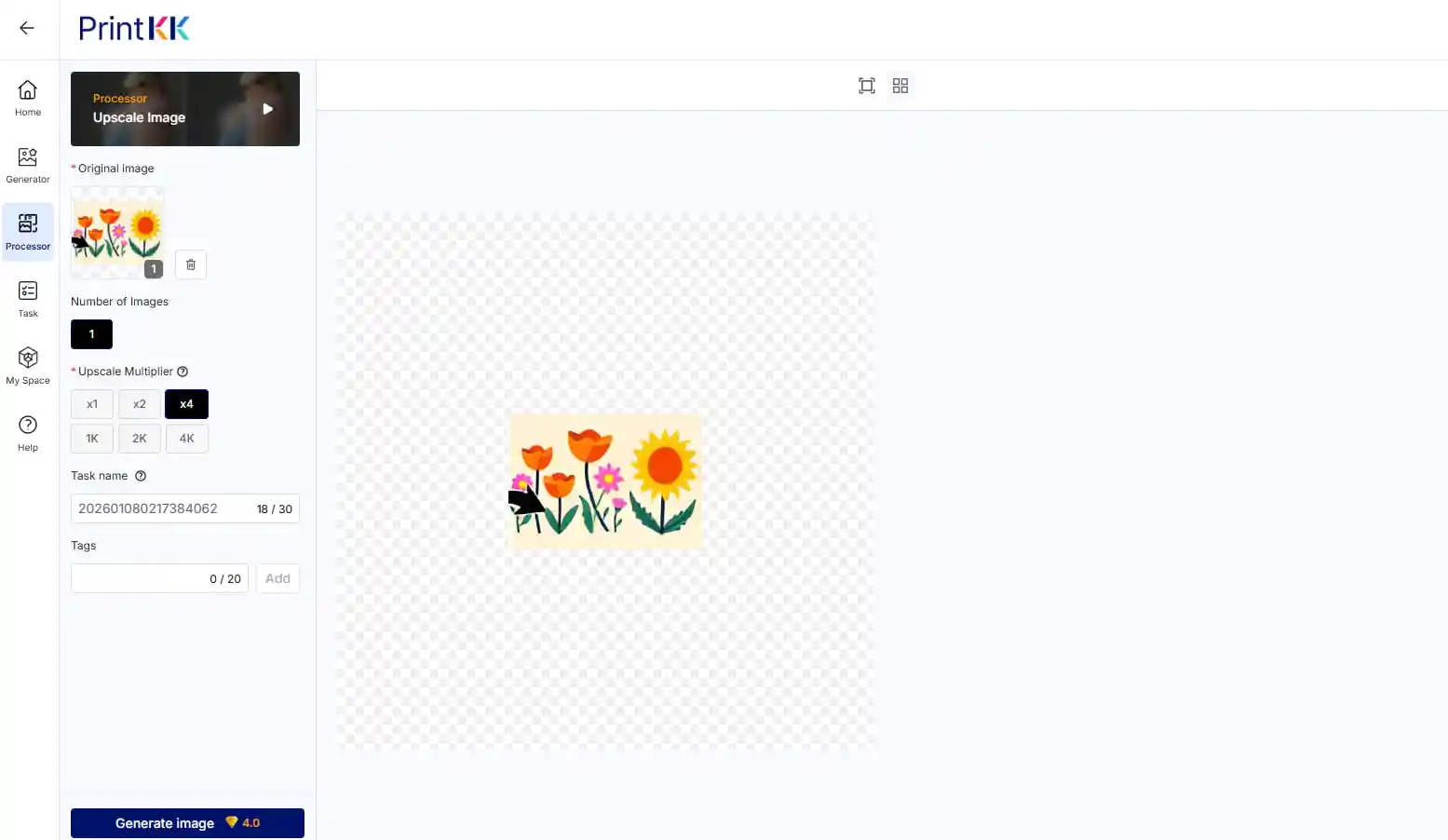
Upscale Image
The tool offers two modes: Super-Resolution (x1, x2, x4 for scaling) and Sharpening (1K, 2K, 4K for target resolutions). With it, you can easily turn blurry pictures into high-resolution clear ones.
📧 Need Assistance?
Email: support@printkk.com
Live Chat: Click 'Contact Us' in the lower right corner.













