

Help Center
How can we help you?


General Help Topics
Function
Add a credit card via PayPal to enable automatic payment for your orders.
Important Notes
1. Automatic Payment Function Under Development
The automatic payment feature is not yet fully rolled out. For now, you can only add your credit card details through the platform. The ability to automatically process payments for orders from your integrated stores will be available in a future update. You will be notified once this feature is live.
2. Credit Card Binding Restriction
Currently, credit cards can only be linked through PayPal.
Direct credit card binding (without a PayPal account) is not supported at this time.
Step-by-Step Operation Guide
1. Log in to your account and go to the Finance & Marketing module.
2. Find and click on Billing Methods within the module.
3. Click Add Billing Information, fill in the required basic details, and click Submit. 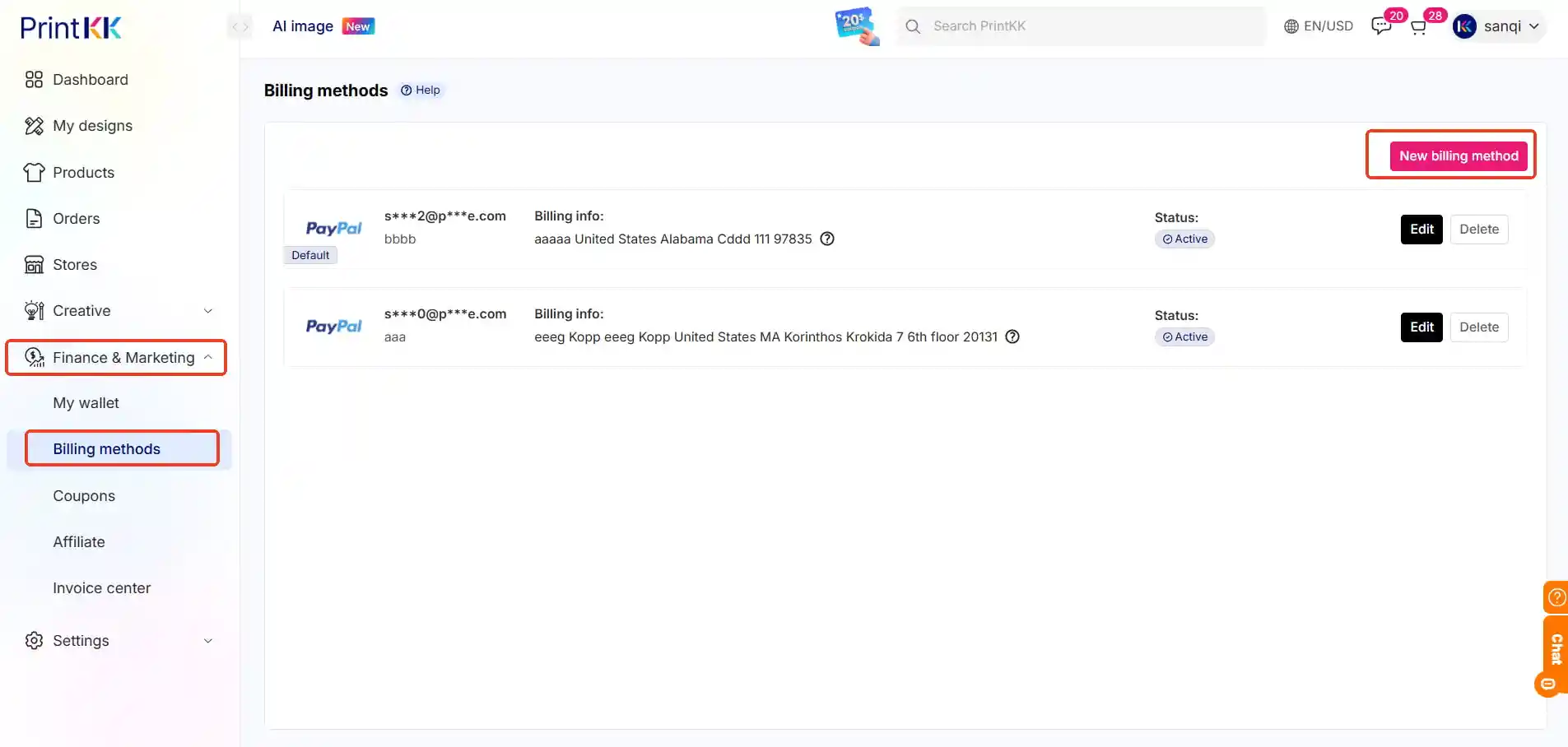
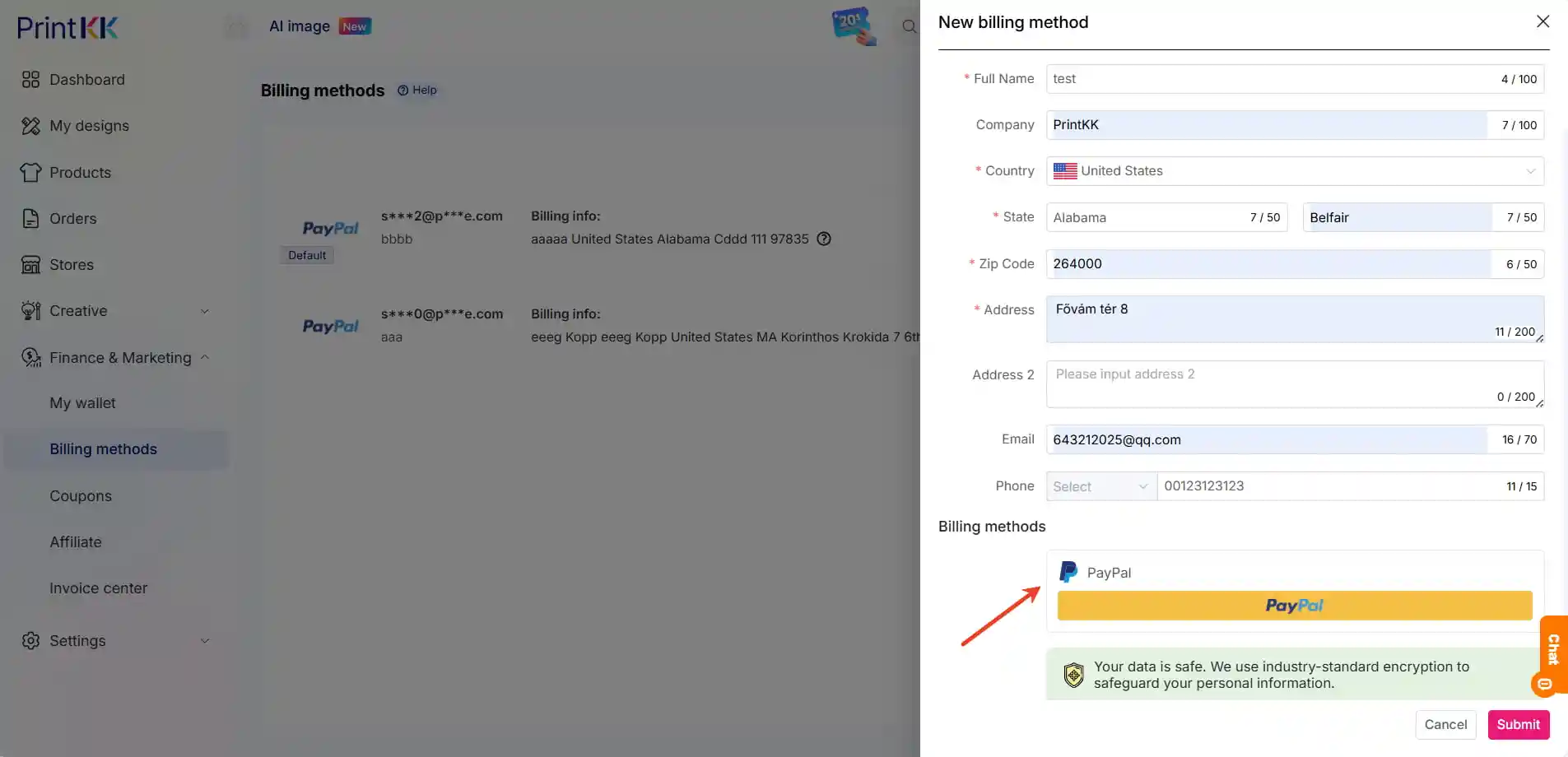
4. You will be redirected to the PayPal login page. Log in to your PayPal account.
5. Follow the PayPal prompts to bind your credit card to your account.
6. After successful binding, your credit card information will be synced to our system and can be viewed in the Billing Methods section.













