Help Center
How can we help you?


General Help Topics
Please note this only works on Mutable items. For the product already publish to your third-party store, it will be temporarily unavailable for modification. You need to make the changes in your third-party store (such as Etsy, Shopify, etc).
🖥️ Step-by-Step Guide
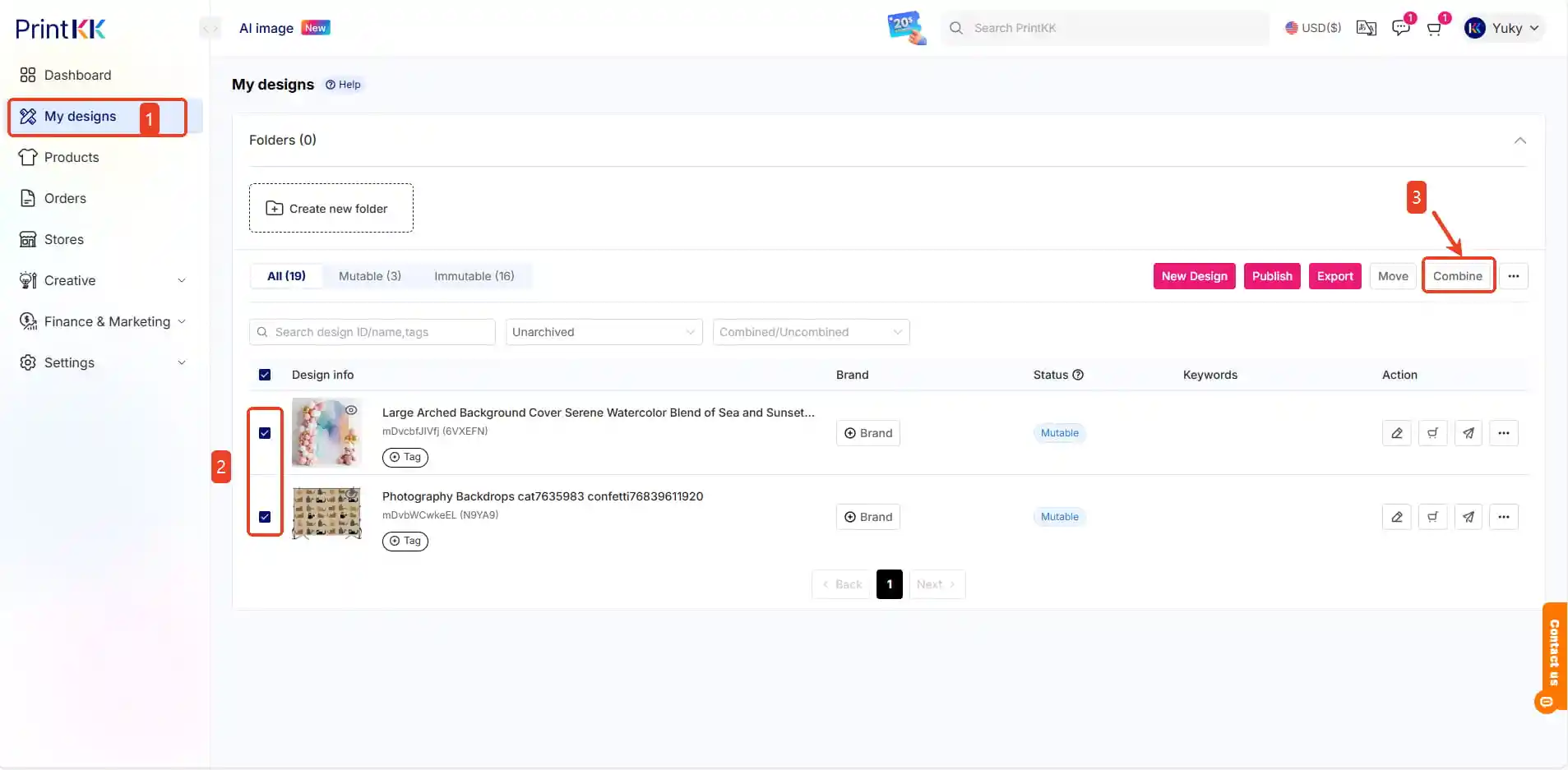
1. Start Combining
Select base product
Click "Combine" button 🔄
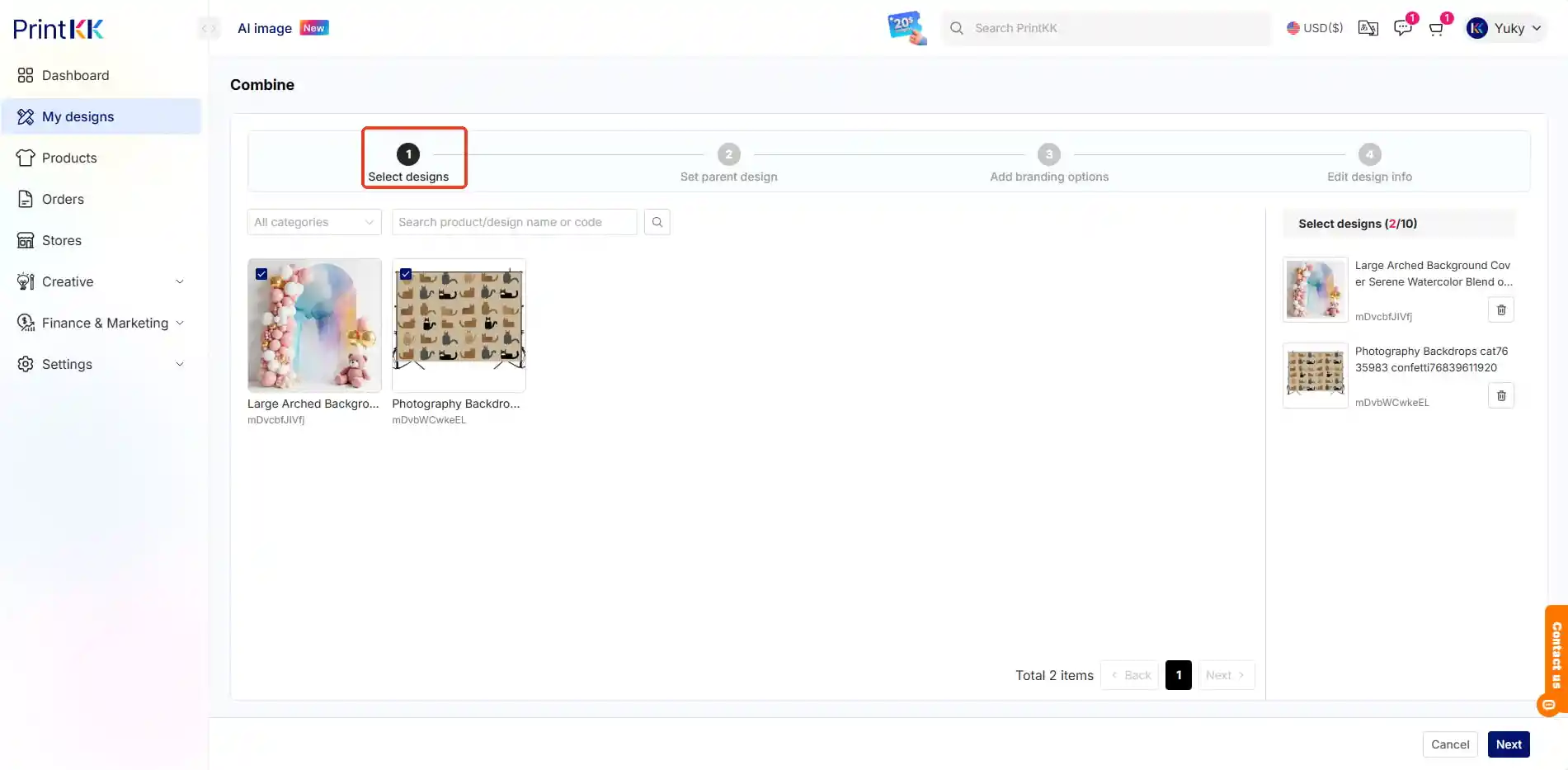
2. Edit
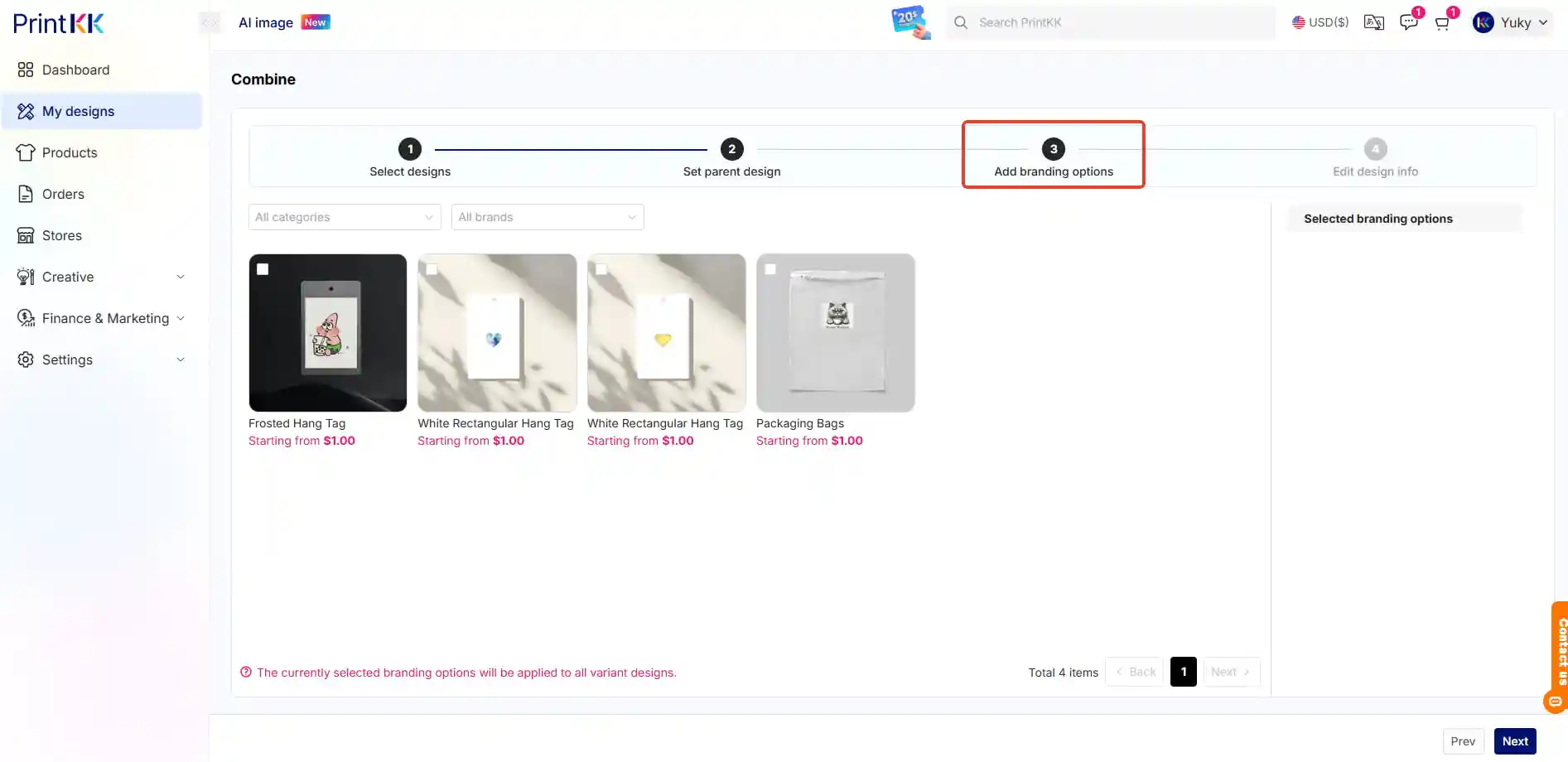
→ Select designs
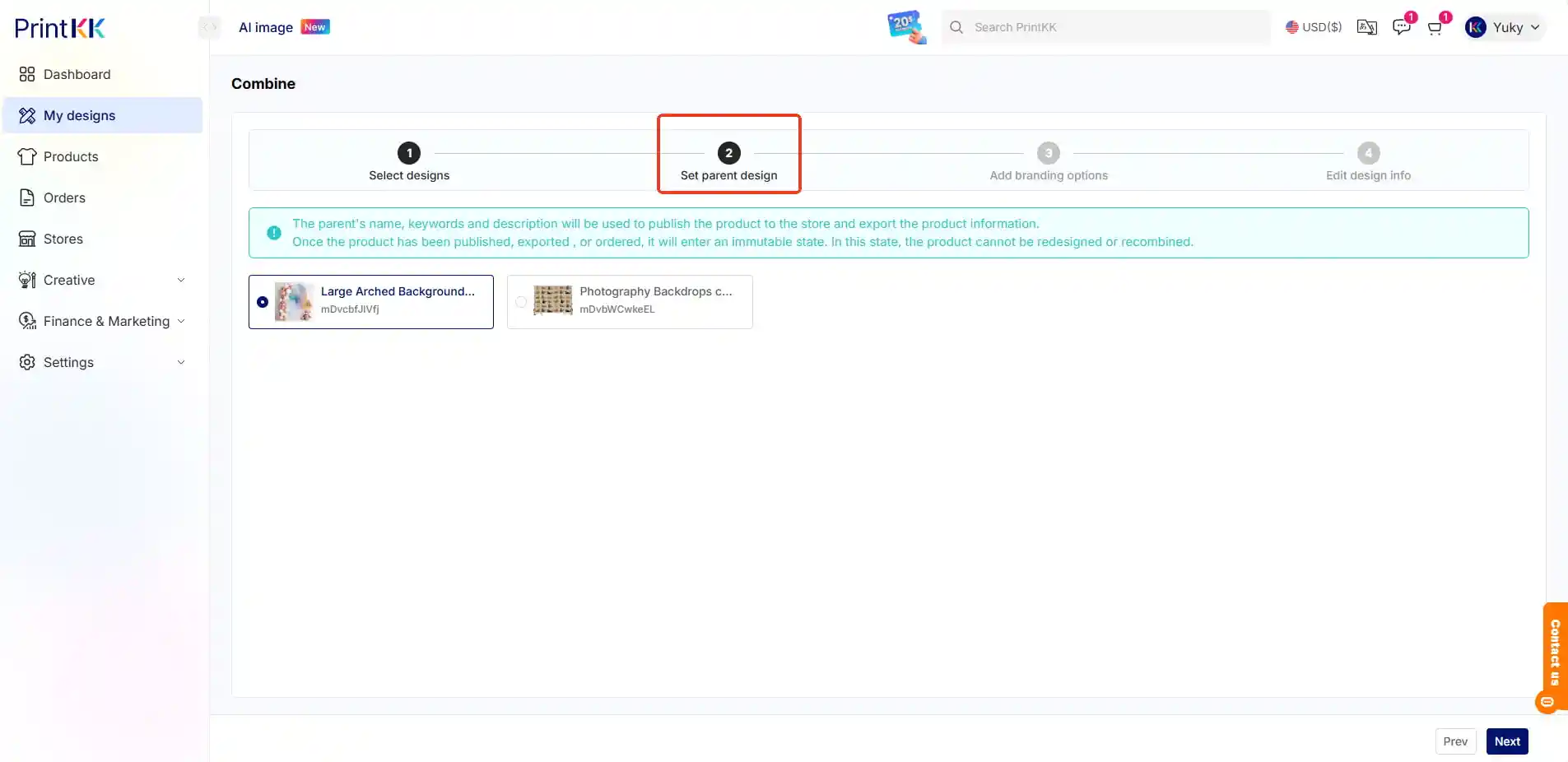
→ Set parent design
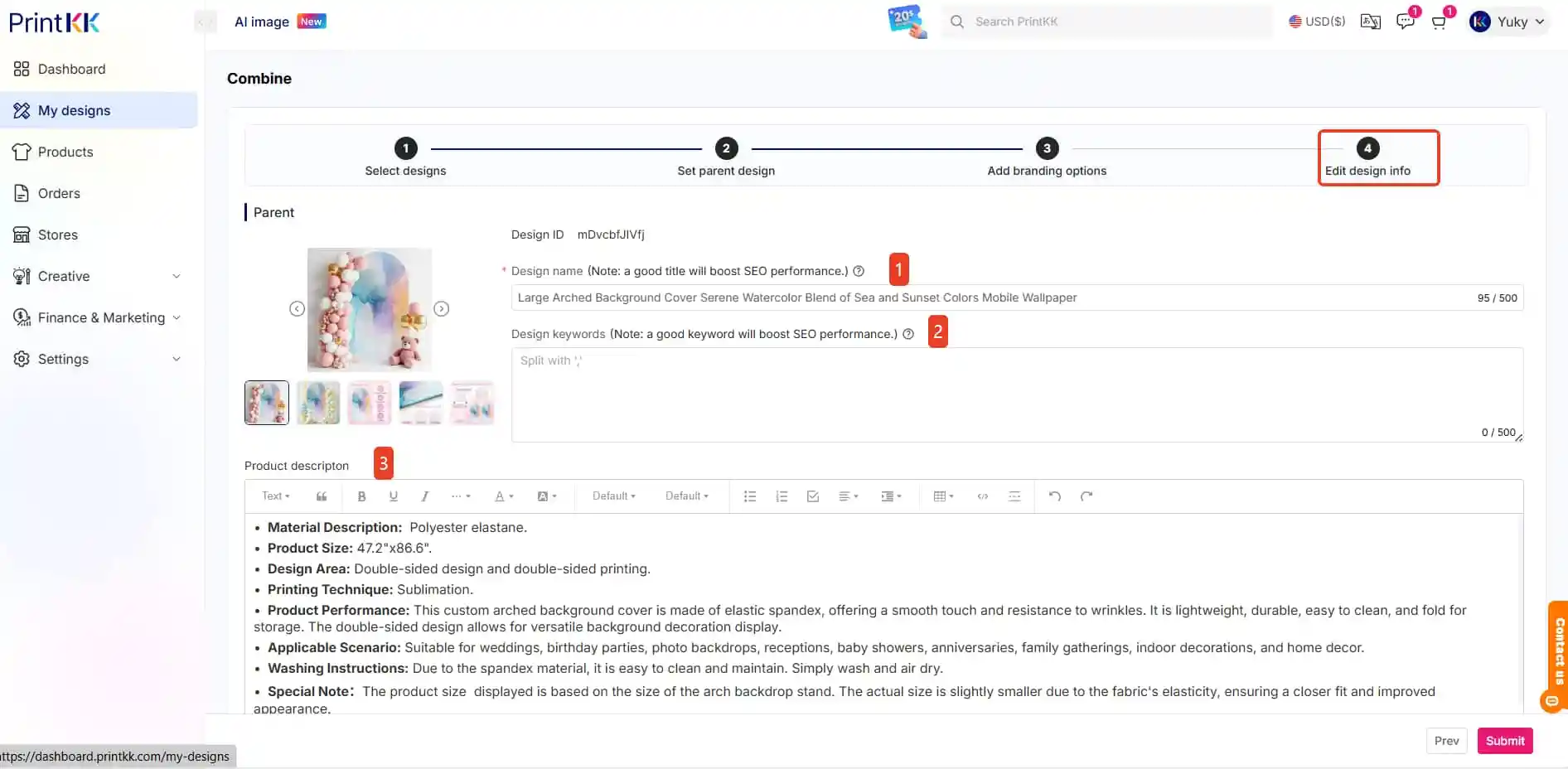
→ Add branding options
→ Edit design info (Name/keywords/description)
3. Publish
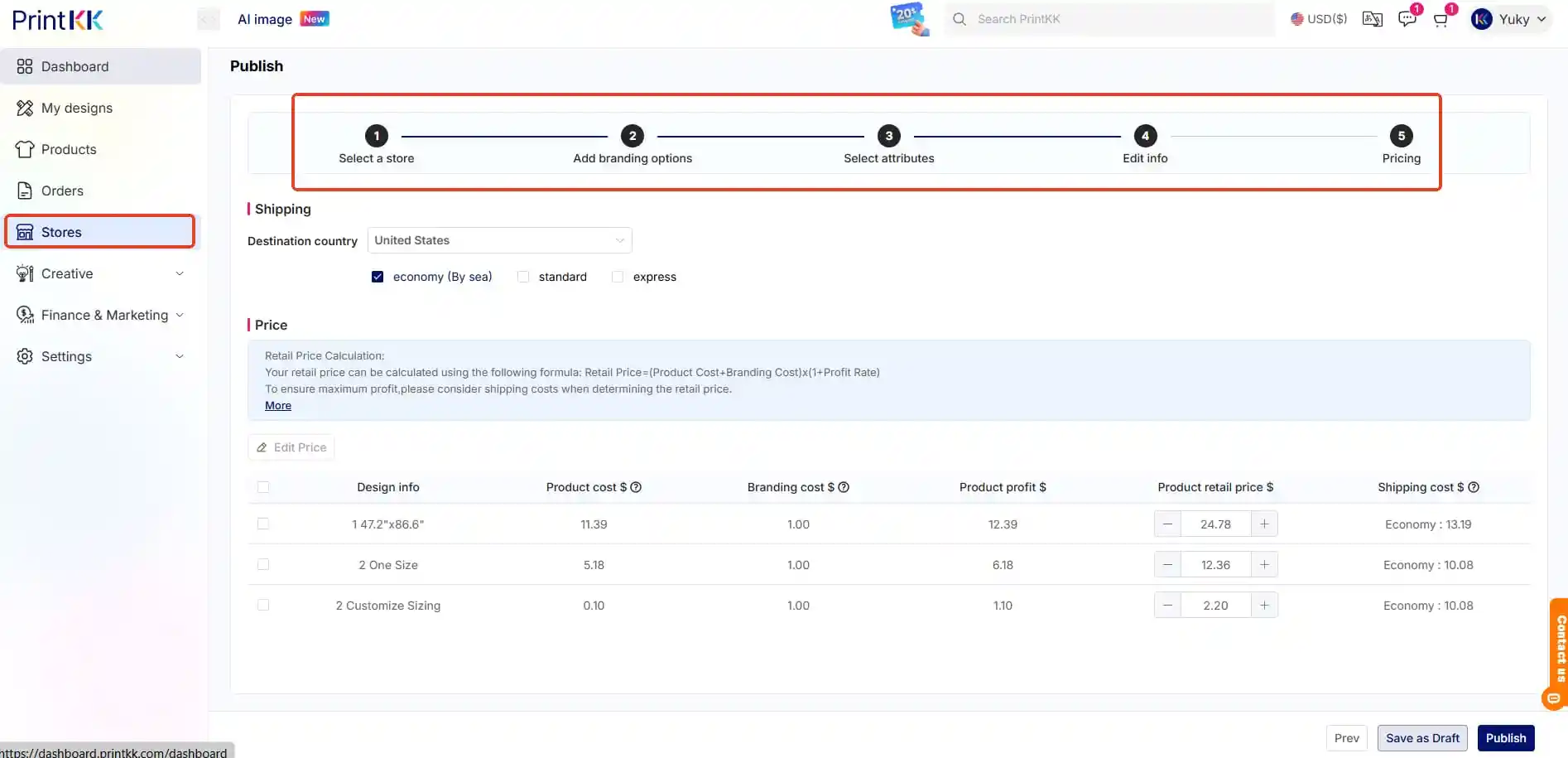
Review all variants
Hit "Publish" 🚀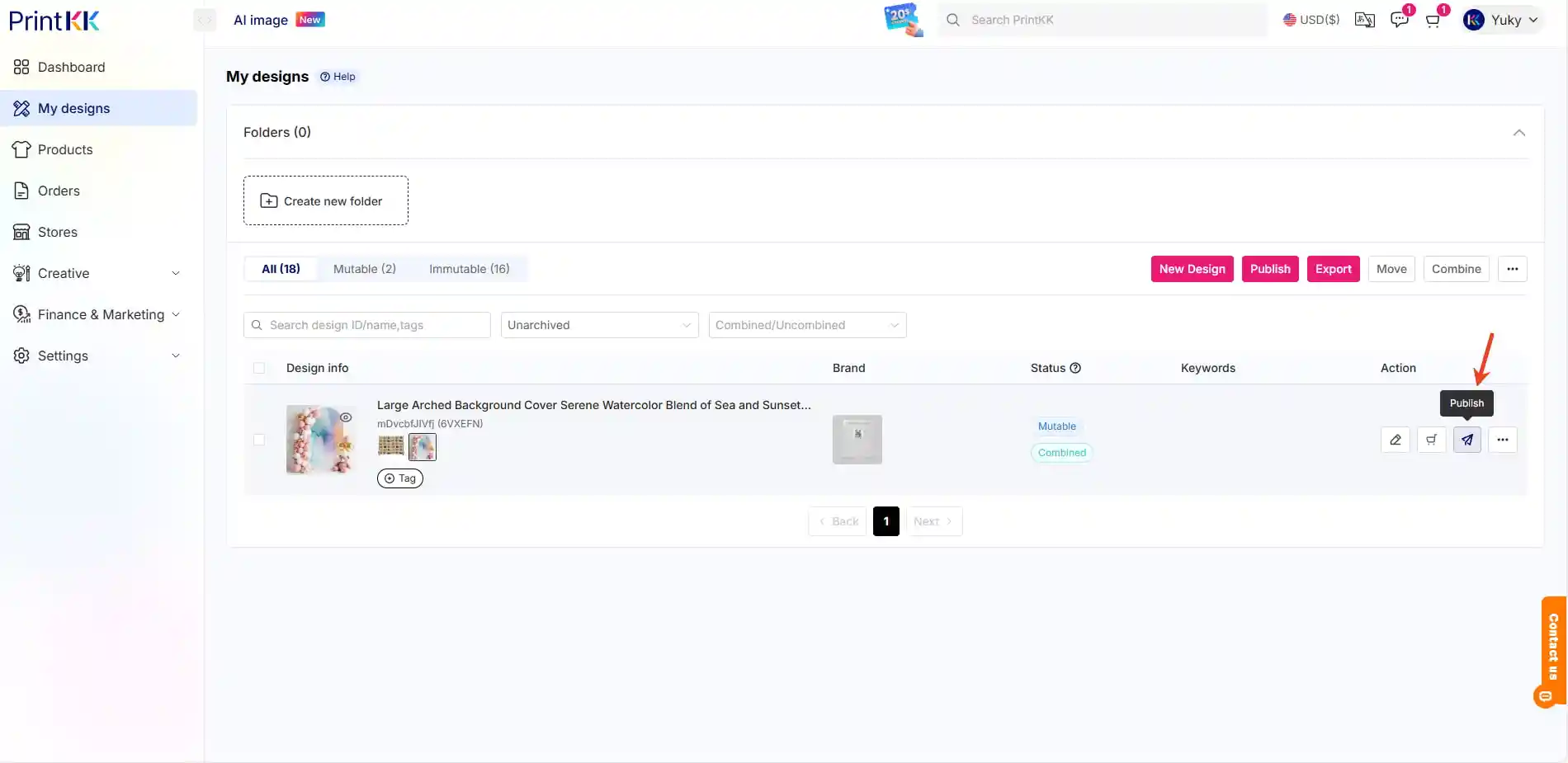
4. Follow On-Screen Instructions
Set inventory/options
Confirm shipping rules