Helpcentrum

Hoe kunnen wij u helpen?

Algemene Help Onderwerpen


Let op: dit werkt alleen op Mutabele items. Voor het product dat al gepubliceerd is in je externe winkel, is het tijdelijk niet beschikbaar voor aanpassing. Je moet de wijzigingen aanbrengen in je externe winkel (zoals Etsy, Shopify, enz.).


🖥️ Stapsgewijze gids

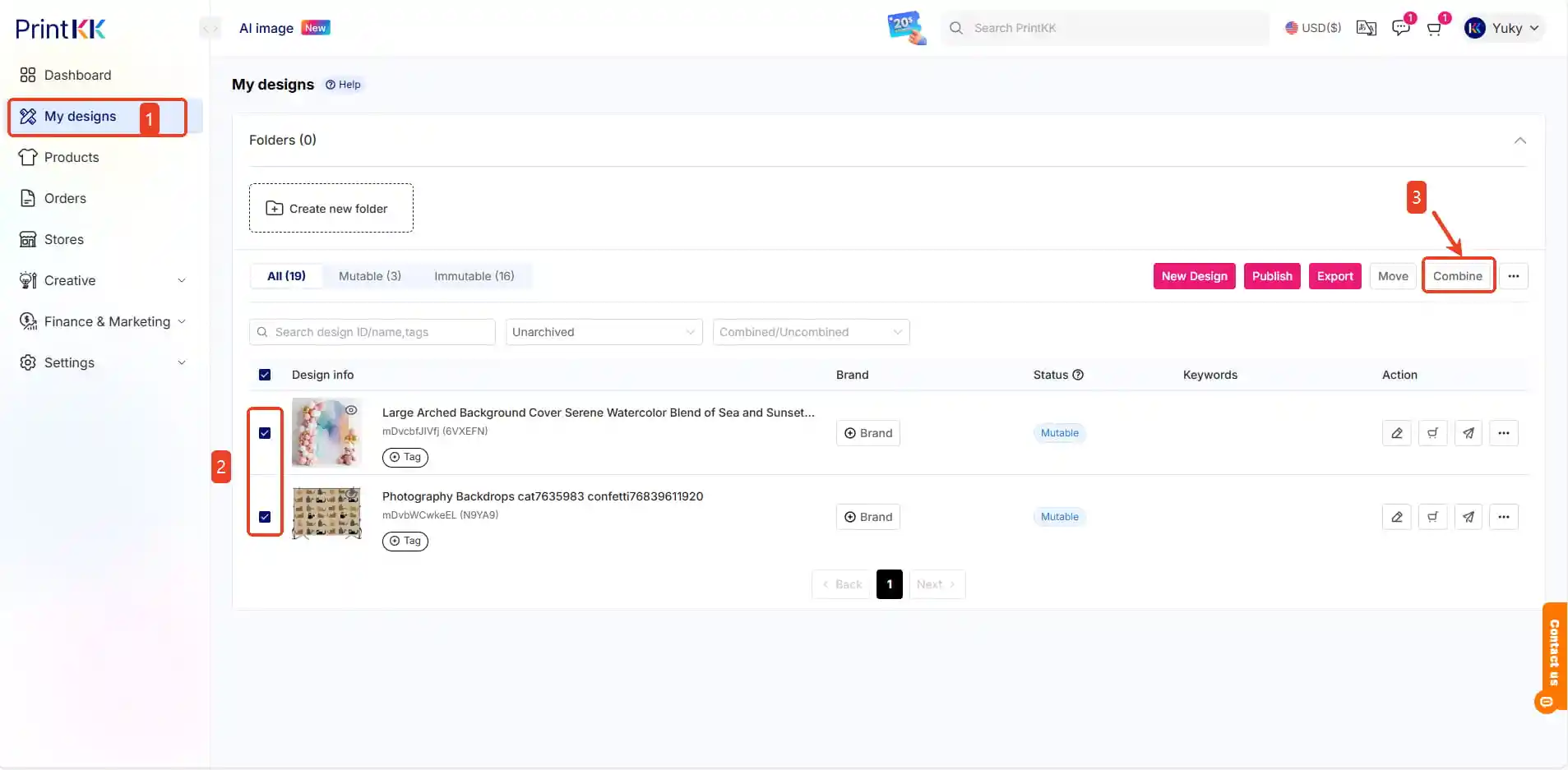
1. Start combineren

Selecteer basisproduct

Klik op "Combine" knop 🔄
How can I create a single product with different designs/ add multiple products in one listing? (combine/variant/SKU)


2. Bewerken 
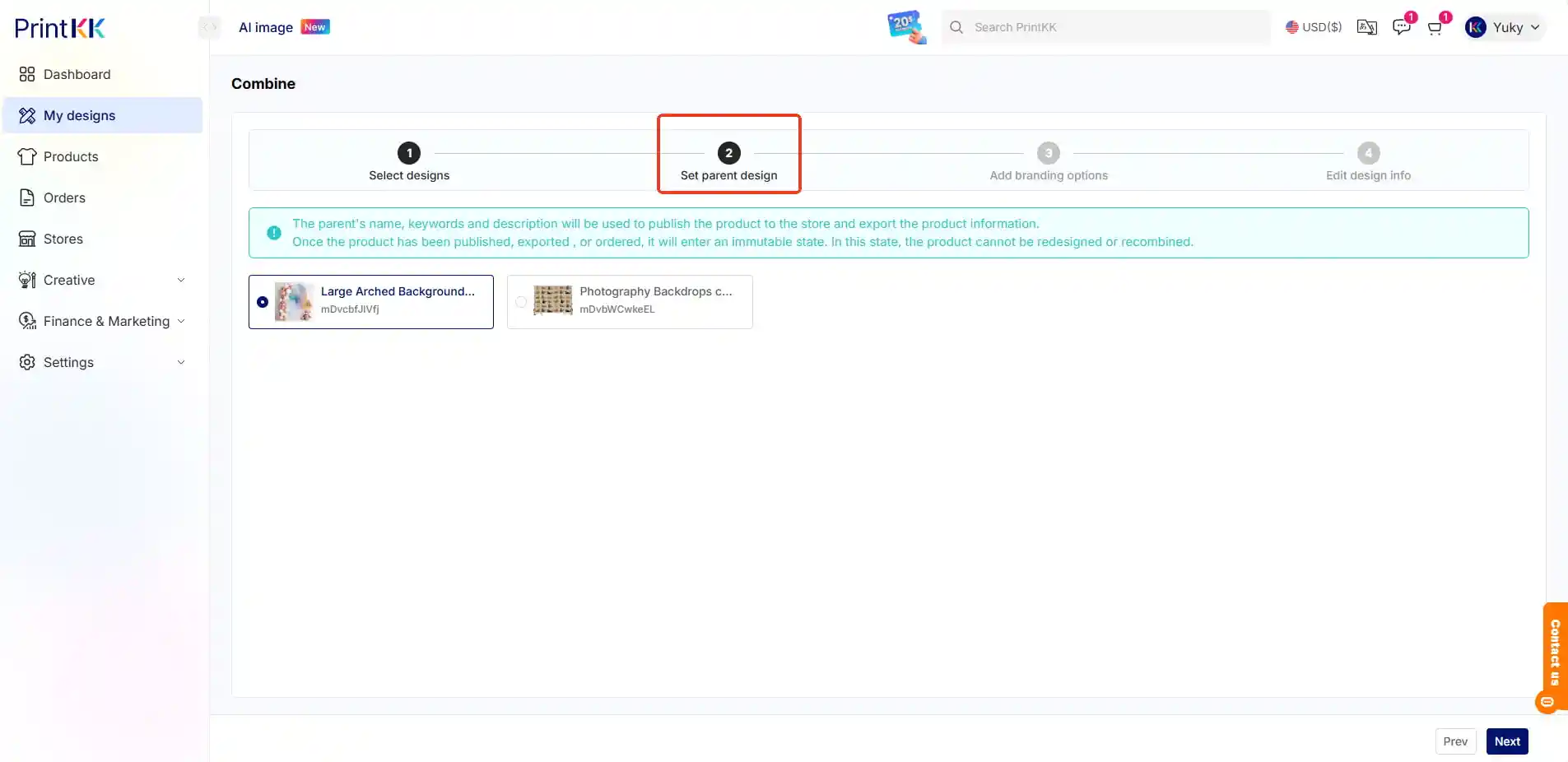
→ Selecteer ontwerpen
→ Stel ouderontwerp in

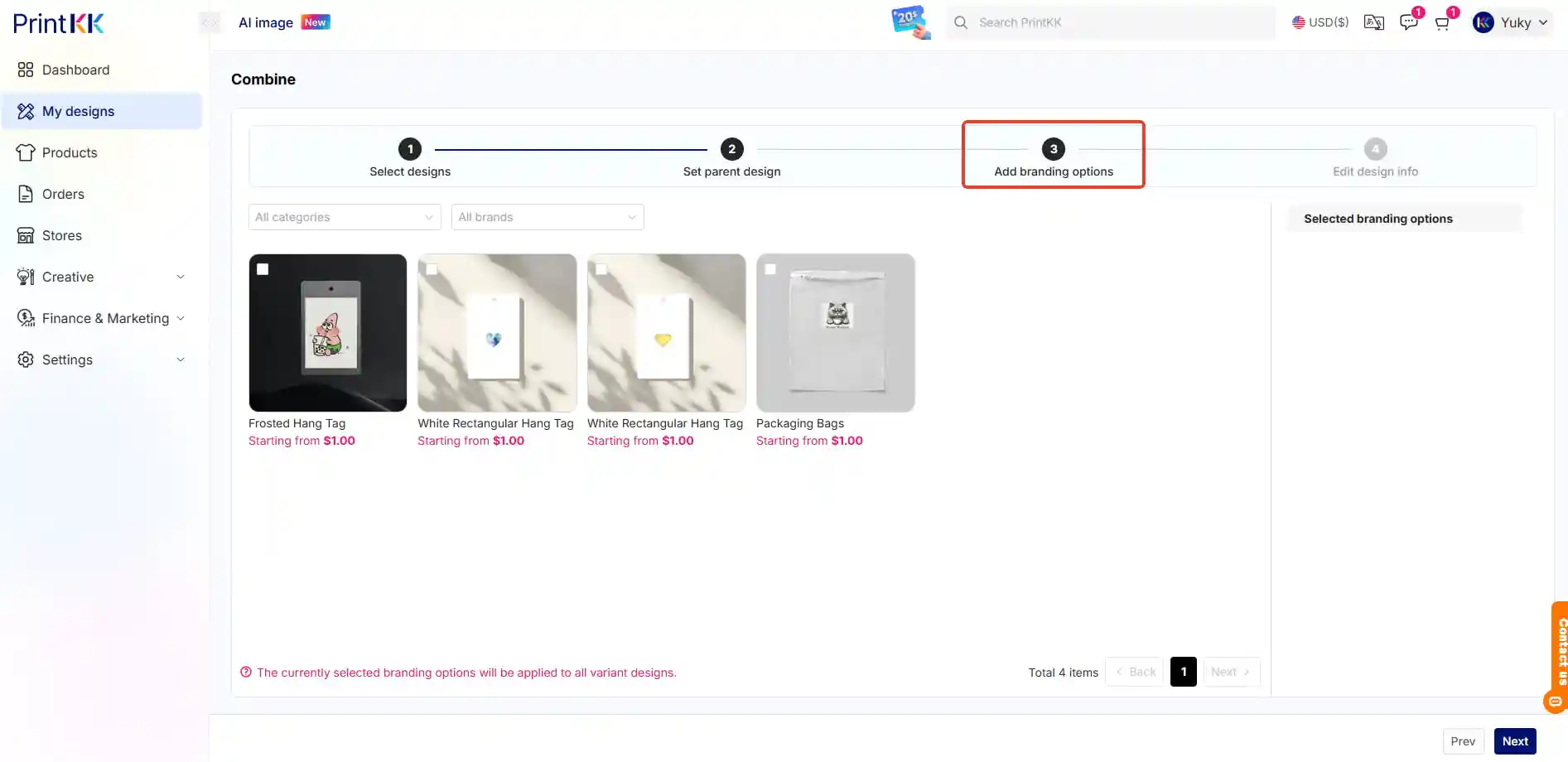
→ Voeg brandingopties toe

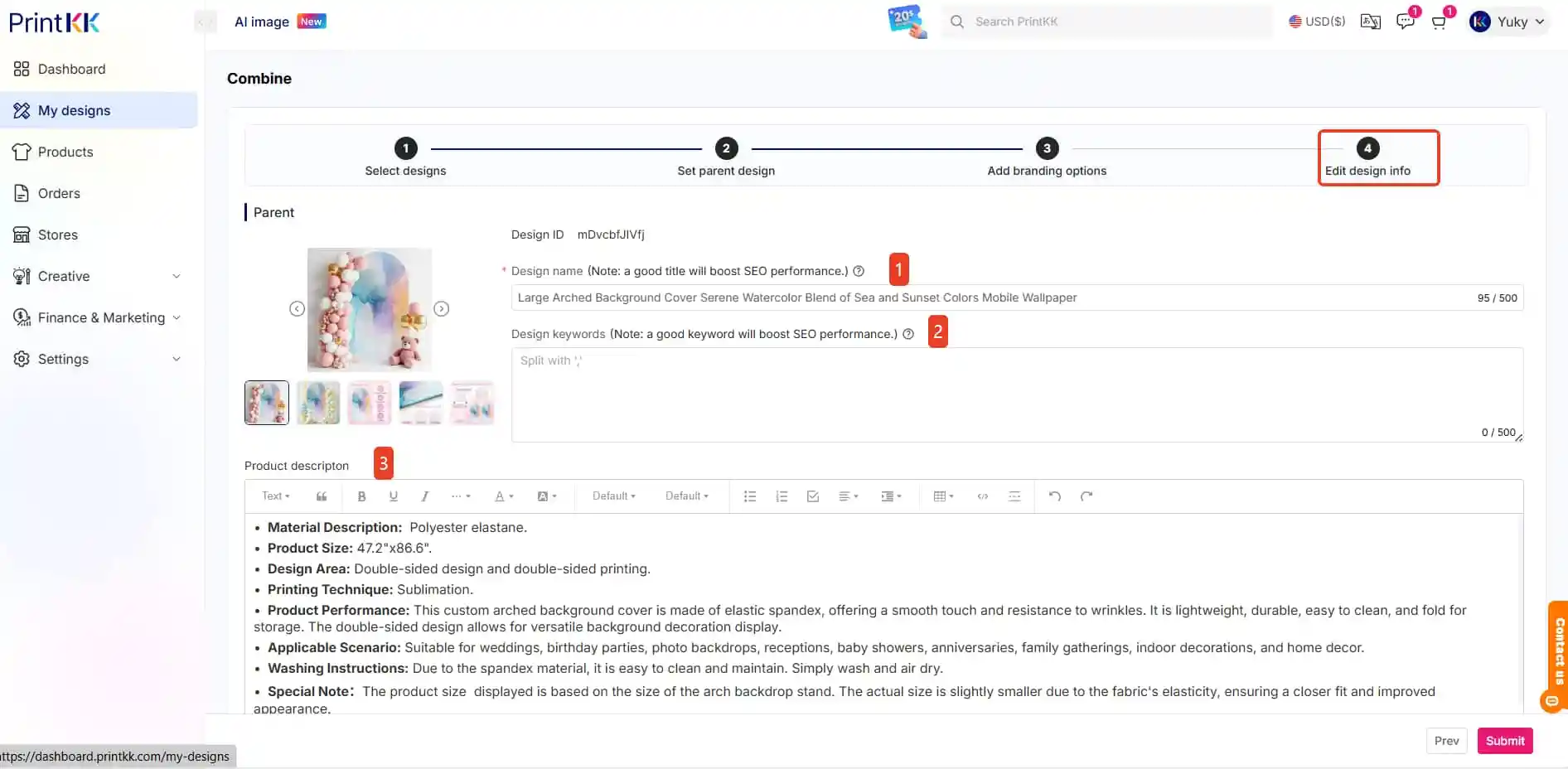
→ Bewerk ontwerpinfo (Naam/trefwoorden/beschrijving)
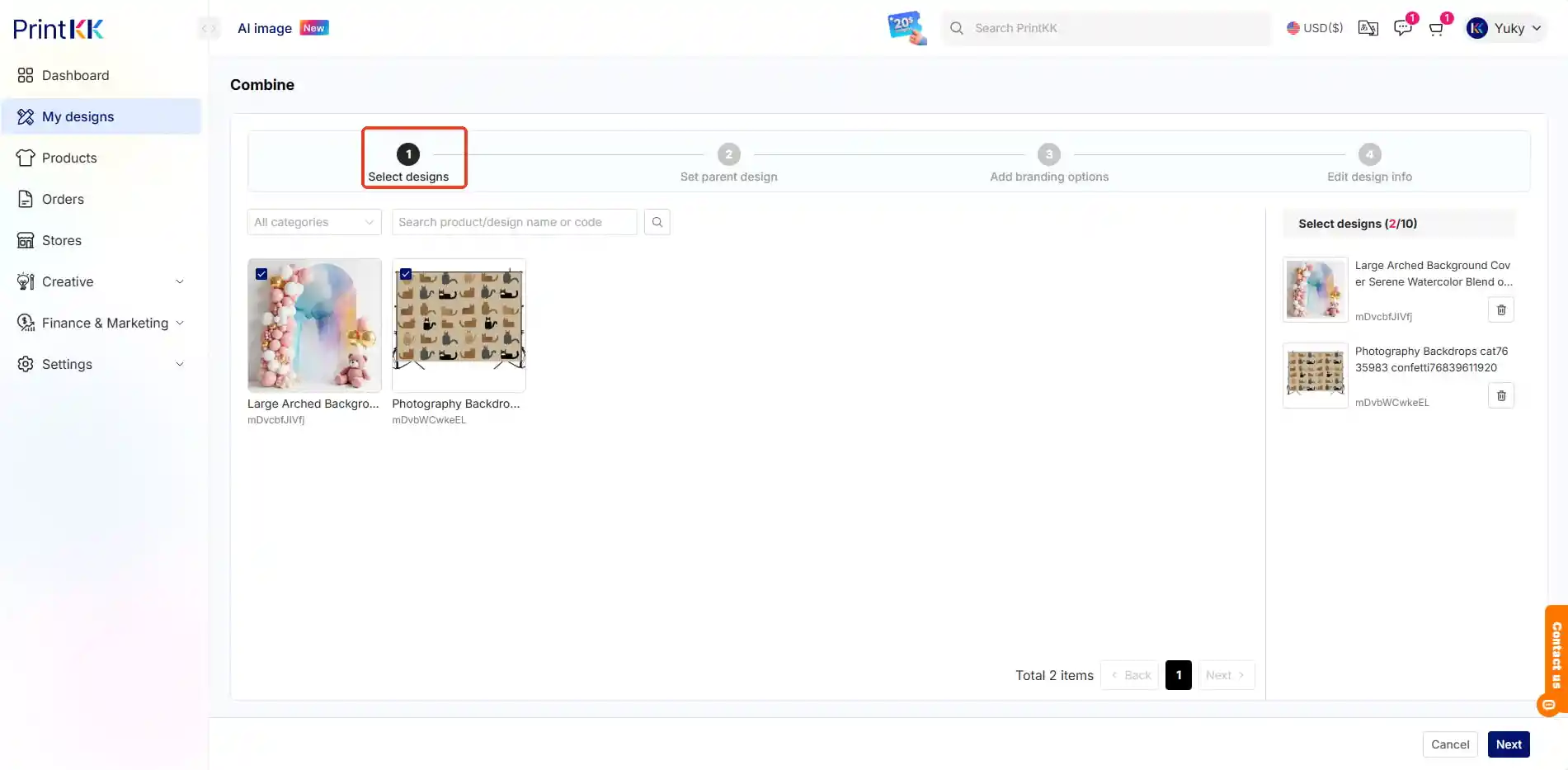
How can I create a single product with different designs/ add multiple products in one listing? (combine/variant/SKU)


3. Publiceren

Bekijk alle varianten

Druk op "Publish" 🚀
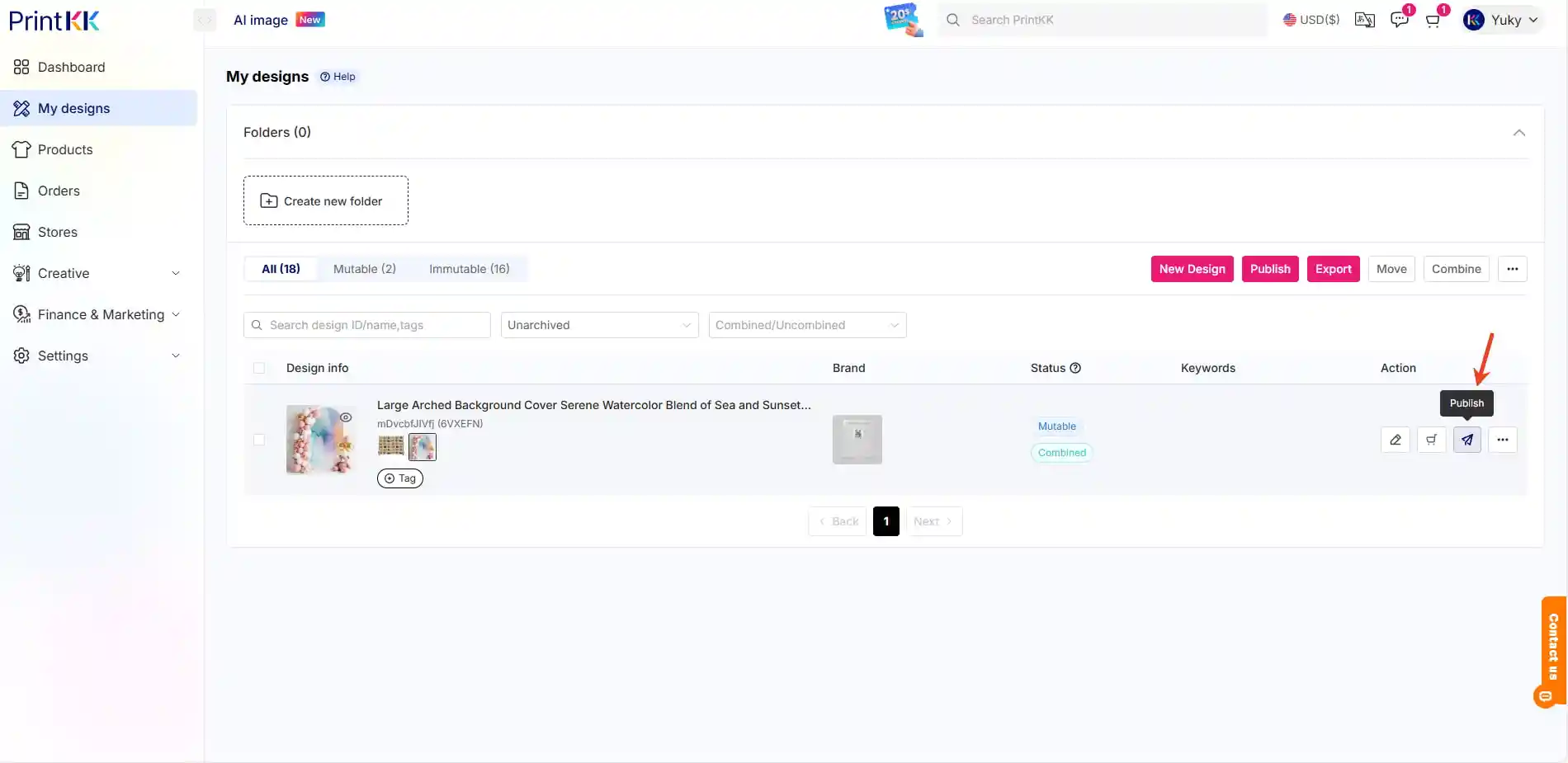
How can I create a single product with different designs/ add multiple products in one listing? (combine/variant/SKU)


4. Volg de instructies op het scherm

Stel voorraad/opties in

Bevestig verzendregels
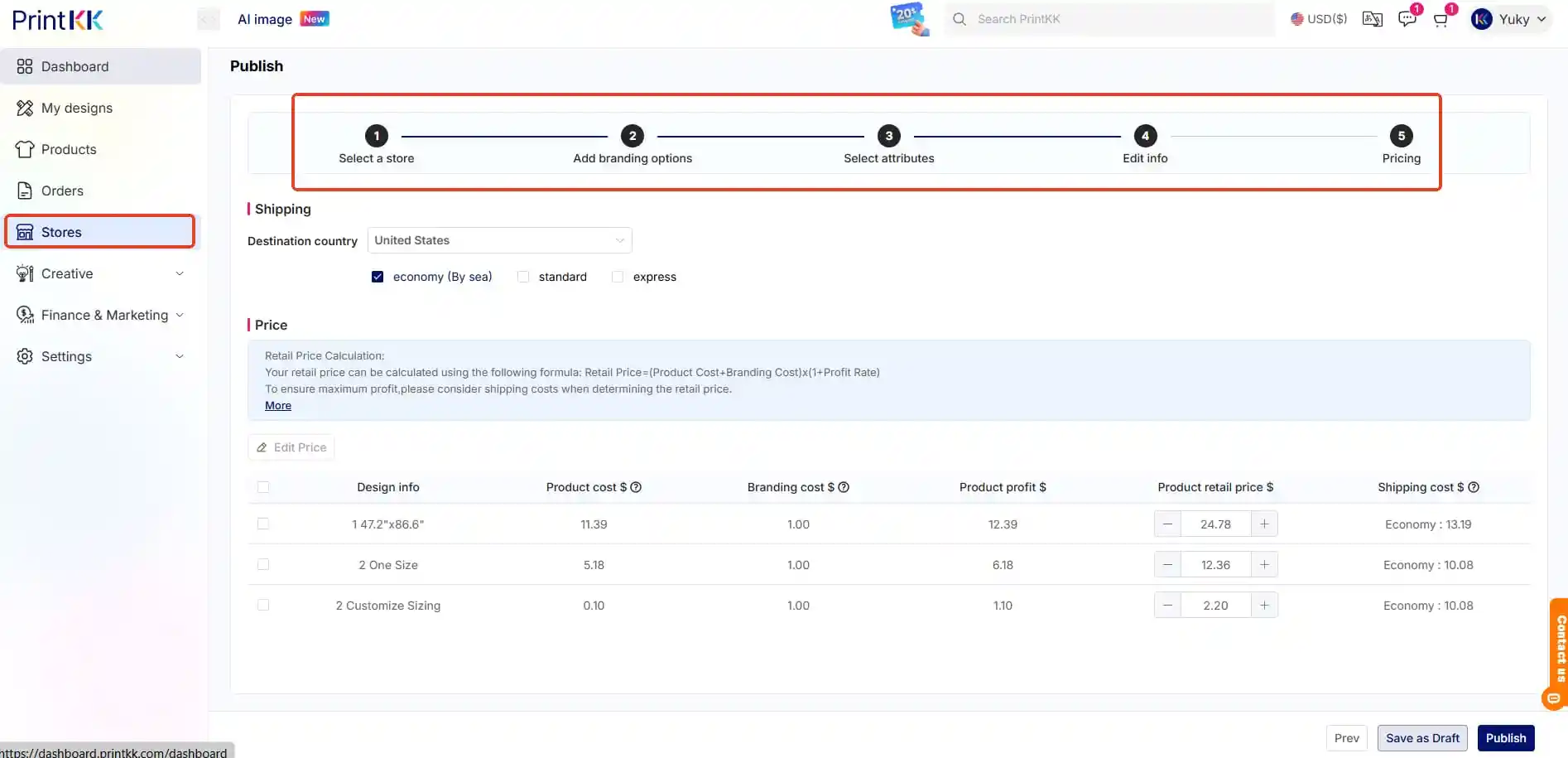
How can I create a single product with different designs/ add multiple products in one listing? (combine/variant/SKU)


📧 Hulp nodig?
- E-mail: support@printkk.com
- Live chat: Klik 'Neem contact op' rechtsonder.