



1. What is the Printkk Wallet?
The Printkk Wallet is a secure and convenient way to manage your funds for:
✅ Paying for Printkk orders (products, shipping, etc.)
✅ Purchasing AI Tokens (for image generation and design tools)
✅ Batch Order Payments (One-Time Transaction)
🔜 Coming Soon: Credit card auto-top-up
2. How to Add Funds (Manual Top-Up)
Step-by-Step Guide
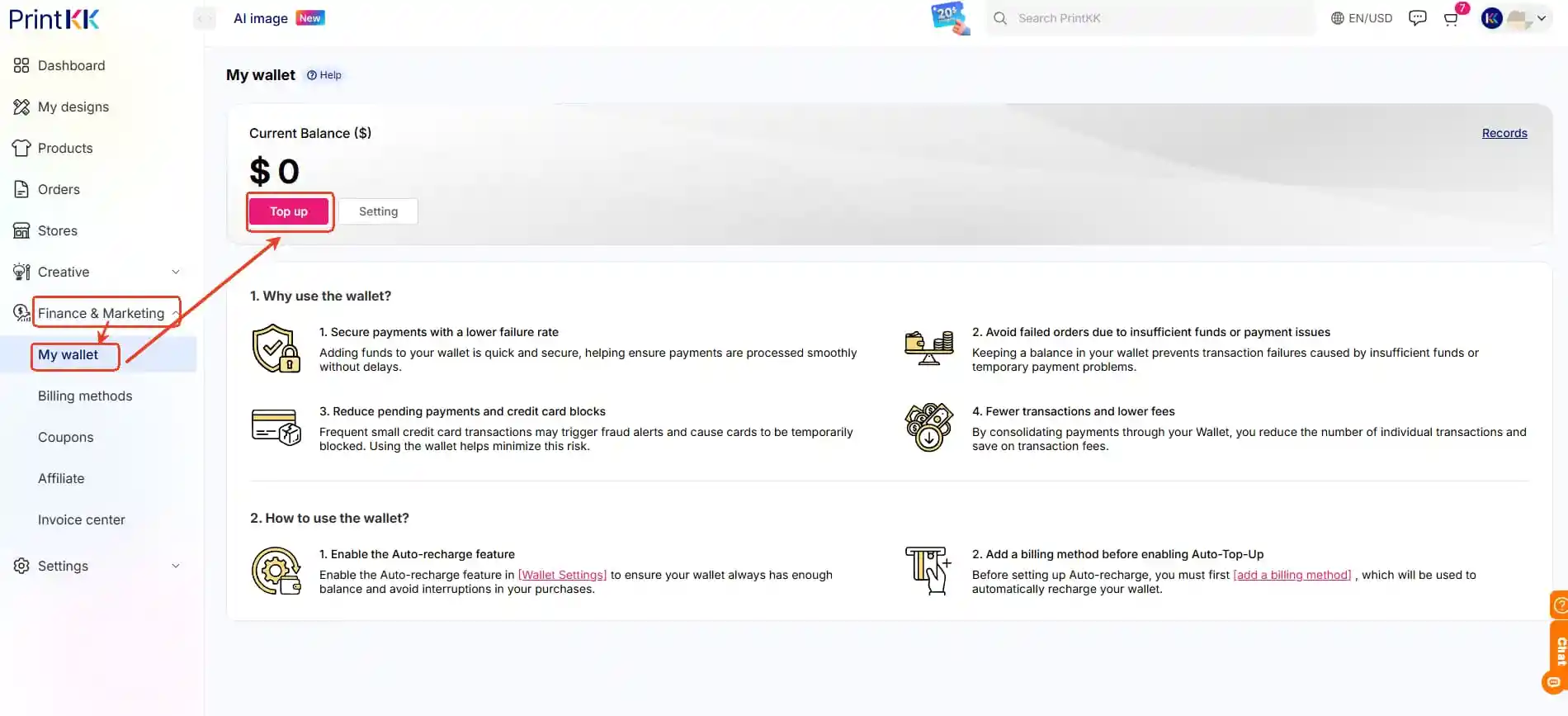
-Go to Dashboard->Finance & Marketing->My wallet
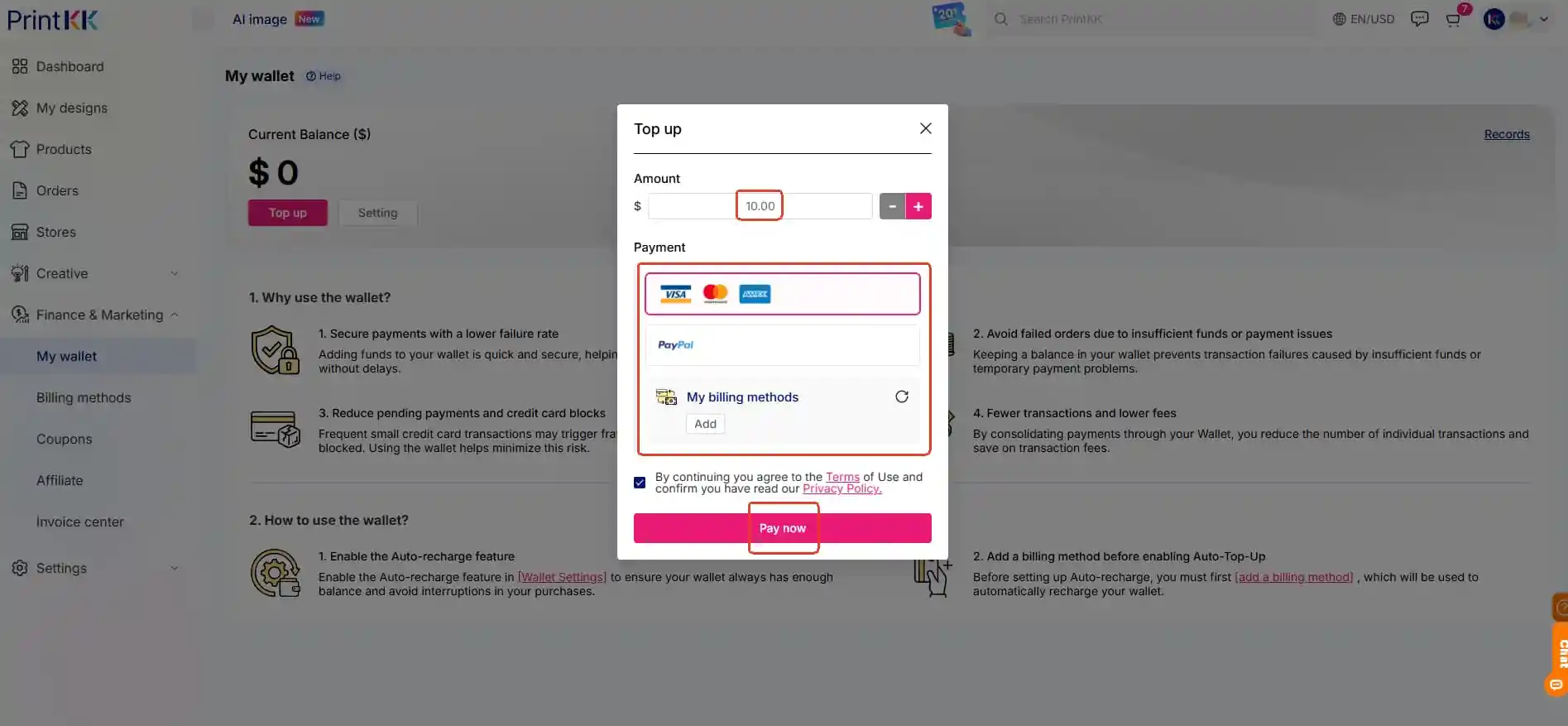
-Click ”Top up”, enter the amount (min. $10)
-Select your payment method: Credit/Debit Card (Visa, Mastercard, etc.); PayPal
-Click “pay now”
Auto-recharge Function
If you want auto-recharge, you can set as this step:
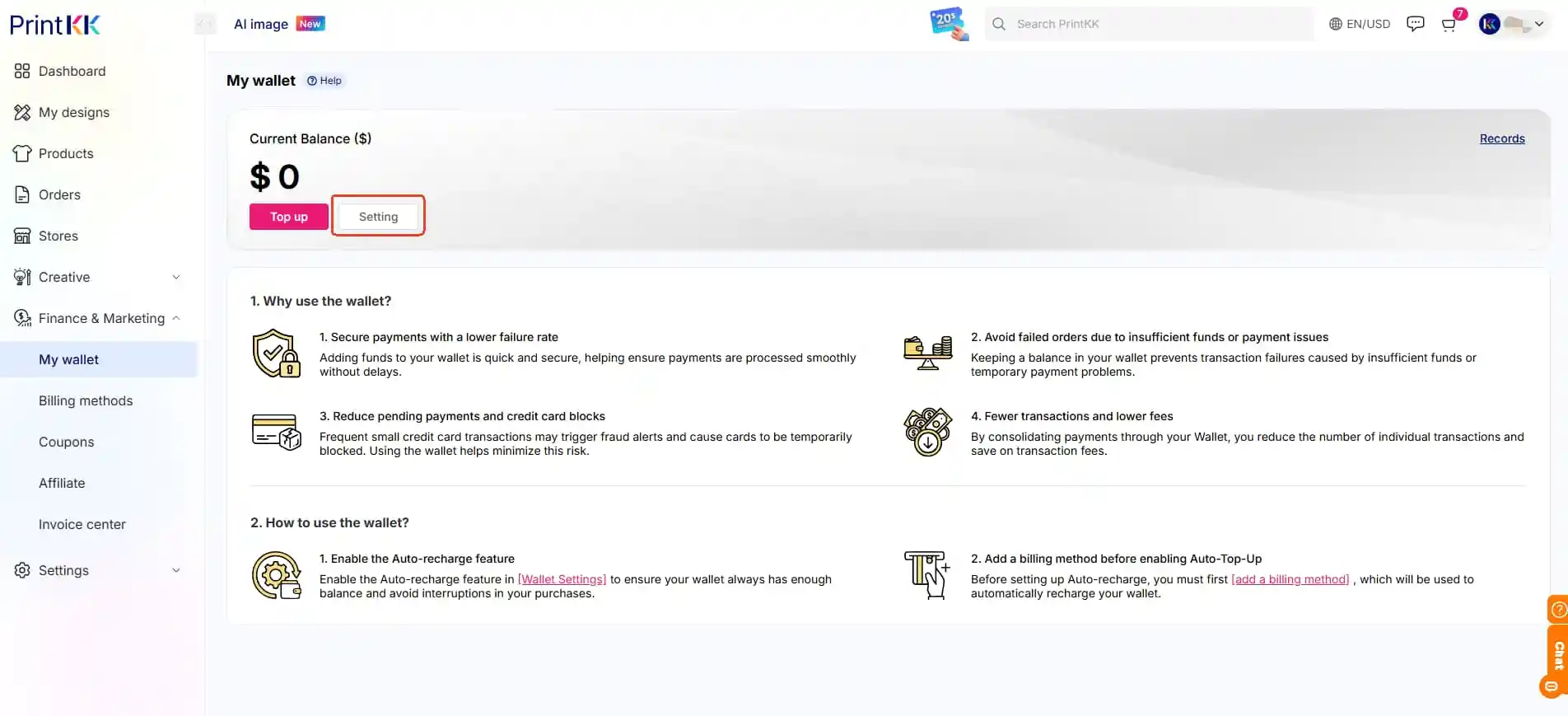
-Go to Dashboard->Finance & Marketing->My wallet
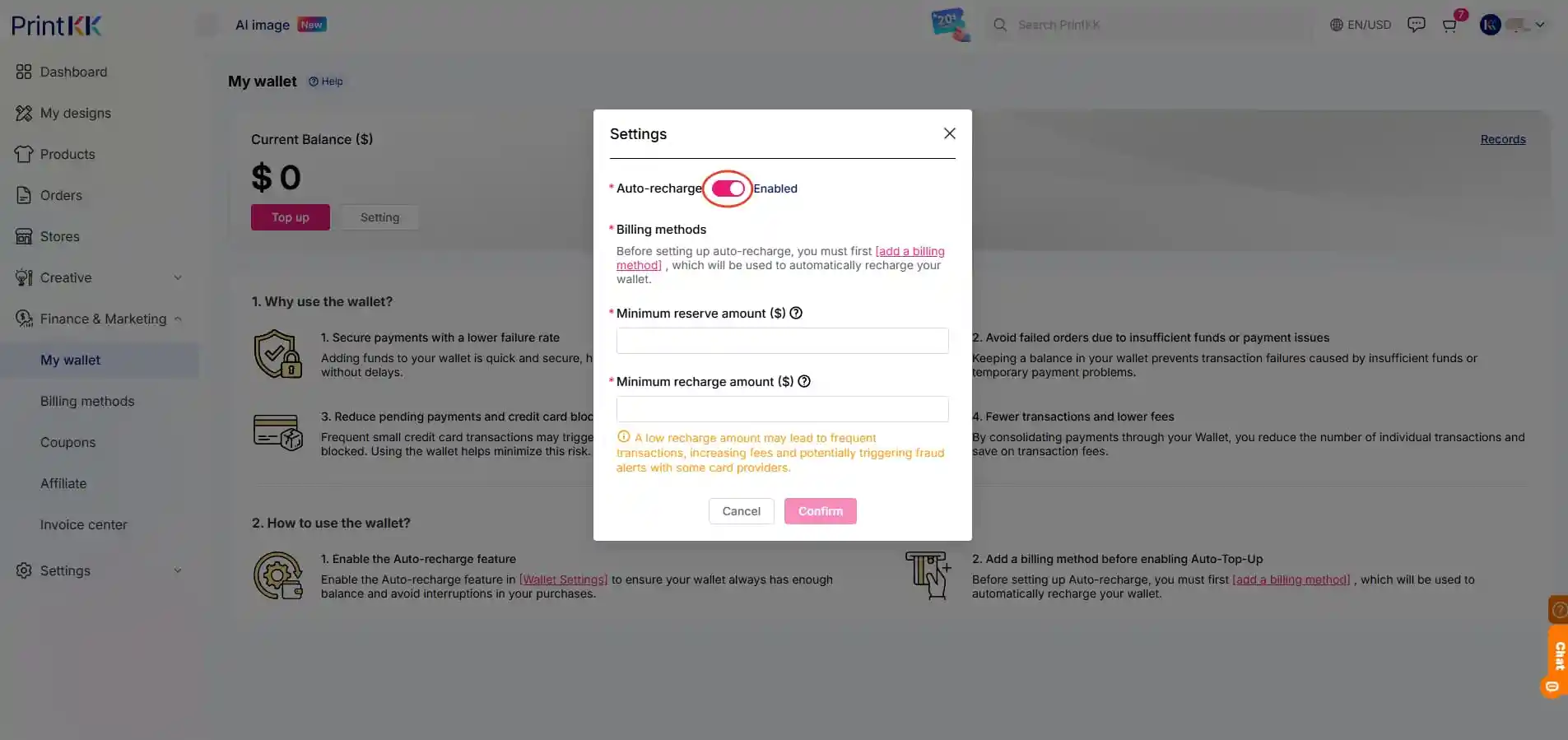
-Click ”Setting”, open the “Auto-recharge” to “Enabled”
Before setting up auto-recharge, you must first add a billing method, which will be used to automatically recharge your wallet.
- Enter the “Minimum reserve amount ($)” and “Minimum recharge amount ($)”
-Click “Confirm”
3. Using Wallet for Payments
3.1 Pay for Orders
At checkout, select “My wallet”
3.2 Buy AI Tokens
Go to AI Image → Tokens
Enter the token amount (min. 500) and select “My wallet”
3.3 Batch Order Payments (One-Time Transaction)
Pay for multiple orders in a single transaction using your Wallet balance.
-Go to Orders → Pending Payments
-Check the boxes for all orders you want to pay
-Confirm Payment
-Choose "My wallet"
❓ Is my wallet balance refundable?
Yes! Unused funds can be withdrawn (Please contact customer service for review).
❓ Can I use my wallet for subscription plans?
NO! Monthly/annual plans can't be paid via Wallet.
📧 Need Assistance?
Email: support@printkk.com
Live Chat: Click 'Contact Us' in the lower right corner.













